What is your refrigerator type?
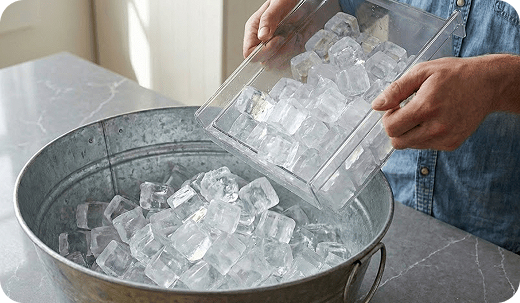
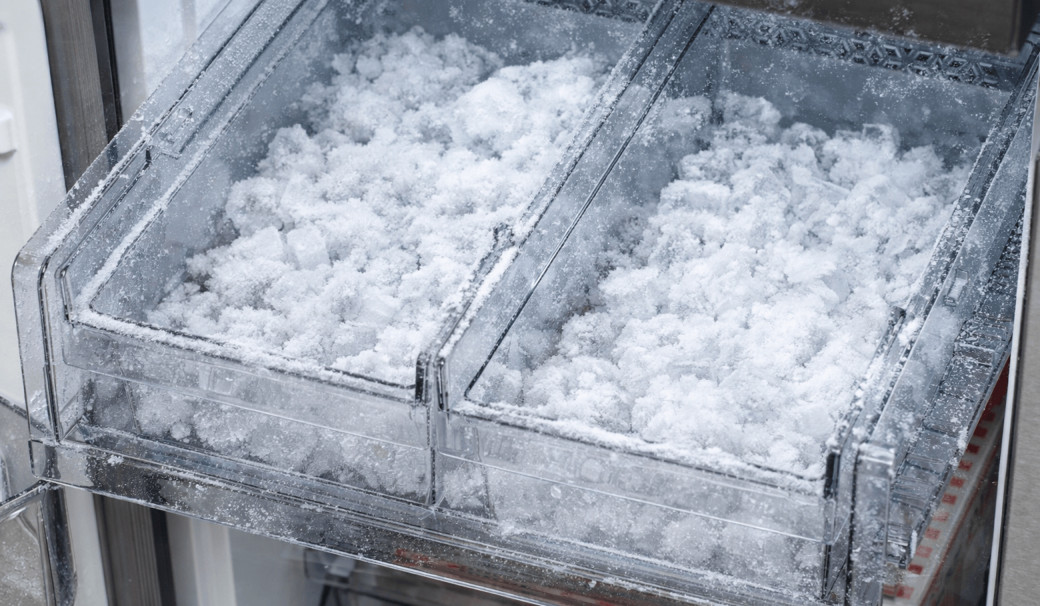
Discard a few batches of ice
New installations or periods of inactivity can cause stale water to settle in the lines, while new filters may leave trace carbon in the water, presenting black flakes in the cubes.
Discard the first 2 or 3 full buckets of ice from both bins
Repeat this process if the ice quality continues to improve
Did this solve your issue?
Select “No” for more help.
Clear the frost away
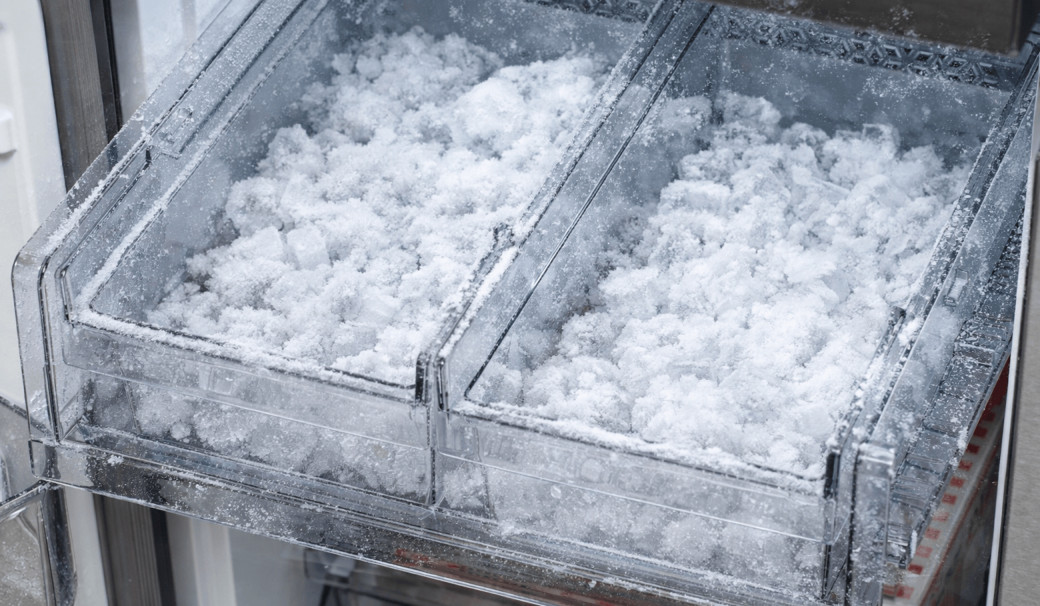
Frost can build up if moisture enters the freezer. Depending on the thickness, you must clear it to allow the sensors and seals to work correctly.
Light frost: Wipe away with a damp cloth and dry the area immediately with a second cloth
Medium frost: Gently remove the buildup with a plastic scraper, then wipe and dry the surface
Heavy frost: If the buildup is too thick to remove by hand, you will need to perform a
Did this solve your issue?
Select “No” for more help.
Check door alignment and leveling
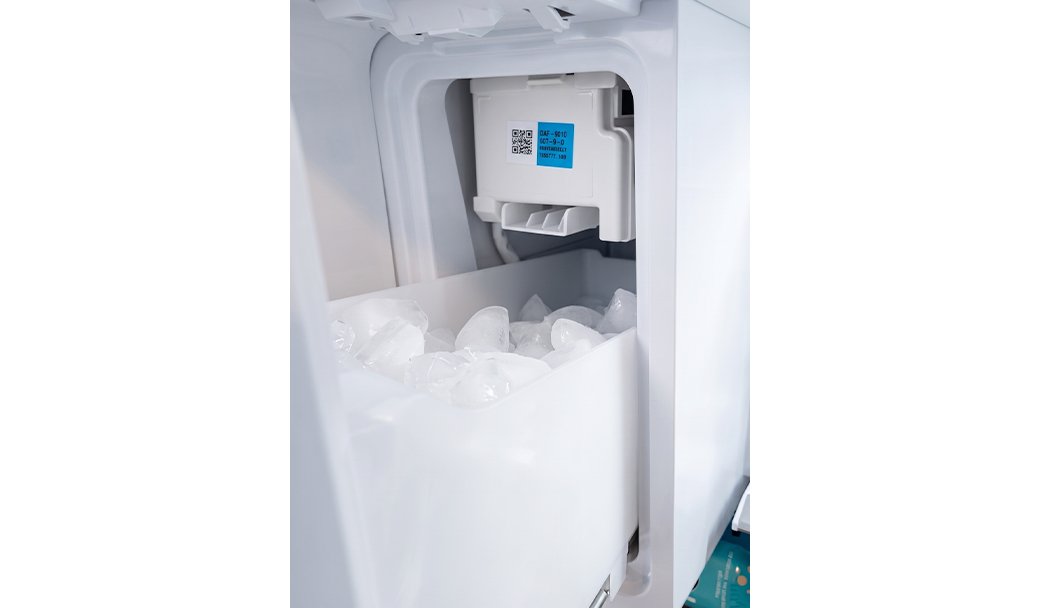
If there is a gap between the ice bucket and the ice chute, warm air will enter the ice maker compartment and cause frost.
Check front-to-back level
Adjust side-to-side level
Align door heights
Did this solve your issue?
Select “No” for more help.
Clear the frost away
Frost can build up if moisture enters the freezer. Depending on the thickness, you must clear it to allow the sensors and seals to work correctly.
Light frost: Wipe away with a damp cloth and dry the area immediately with a second cloth
Medium frost: Gently remove the buildup with a plastic scraper, then wipe and dry the surface
Heavy frost: If the buildup is too thick to remove by hand, you will need to perform a
Did this solve your issue?
Select “No” for more help.
Check water dispensing and pressure
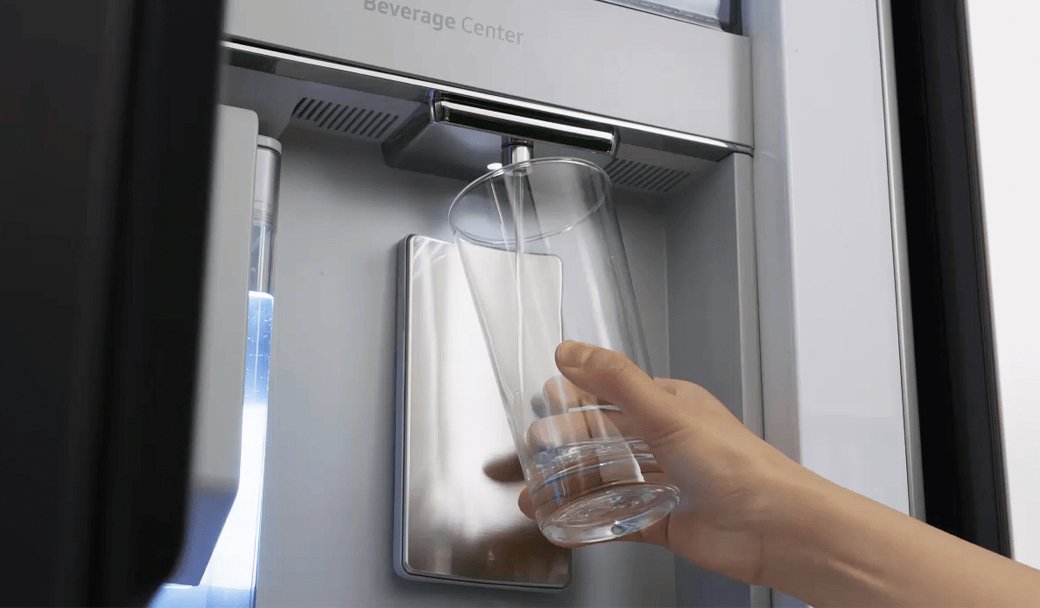
Low water pressure prevents the ice maker from filling properly or producing ice.
Dispense water into a measuring cup
Check if it fills 6 oz (¾ cup) in under 10 seconds
If no water comes out -> Check water line connection
If it fills too slowly -> Proceed to the next step
No dispenser to test > Proceed to the next step
Did this solve your issue?
Select “No” for more help.
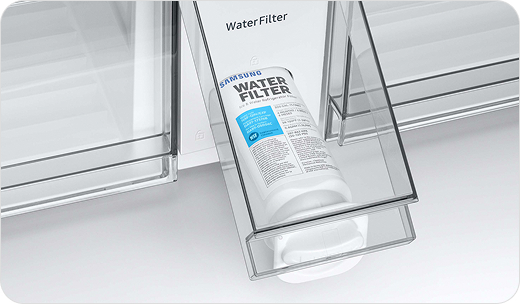
Replace the water filter
An expired or non-genuine water filter can fail to remove impurities or may release carbon flecks into the ice.
Replace the filter with a genuine Samsung filter
Discard the first 2-3 batches of ice
Replace the filter every six months
Did this solve your issue?
Select “No” for more help.
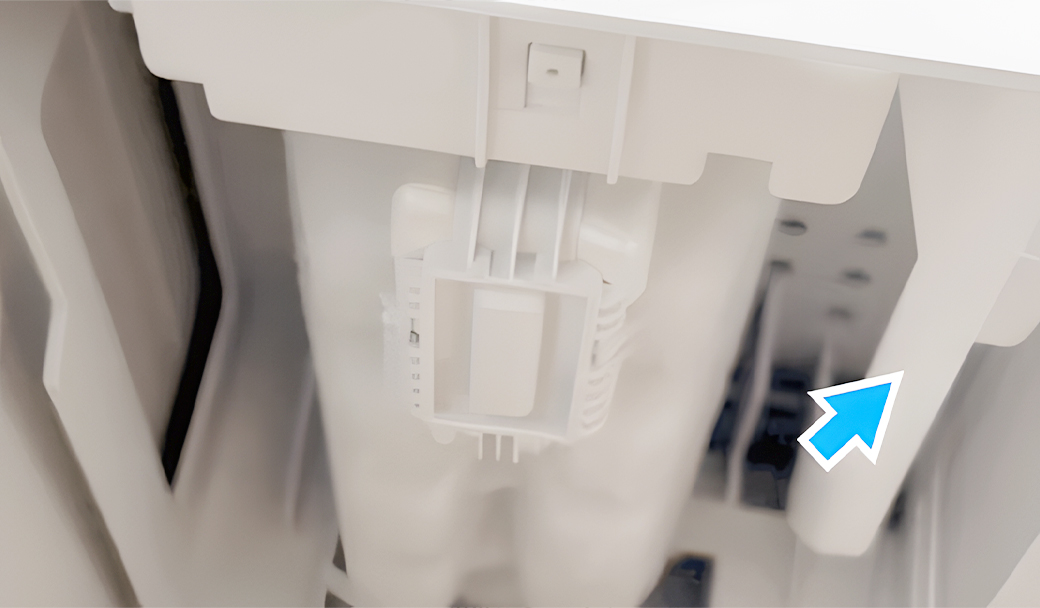
Clear feeler arm obstructions
The ice maker may continue production if the feeler arm is physically propped up or stuck in the "up" position.
Remove any ice bits frozen onto the arm
Place the ice scoop in its holster away from the arm
No feeler arm > Proceed to the next step
Did this solve your issue?
Select “No” for more help.
Glad we could assist!
Enjoy your Samsung Refrigerator experience.
Do you need help with anything else?
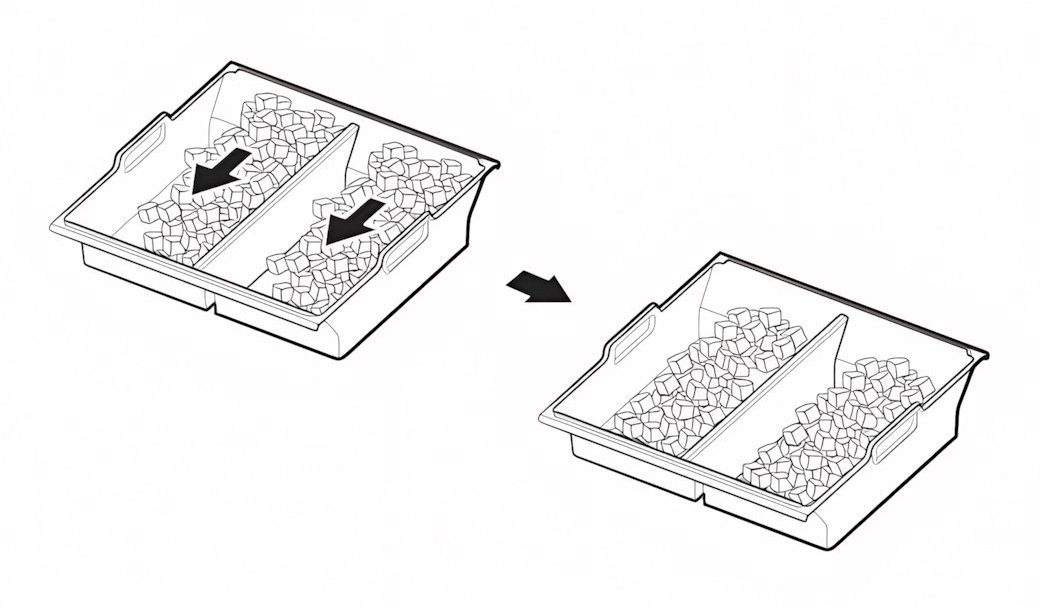
Shift ice forward in the bucket
Your ice maker may produce less ice if ice is piling up behind the ice maker.
Shift ice toward the front of the bucket
Dispense ice regularly to keep the bucket from reaching its 2-pound capacity
Did this solve your issue?
Select “No” for more help.
Clear the frost away
Frost can build up if moisture enters the freezer. Depending on the thickness, you must clear it to allow the sensors and seals to work correctly.
Light frost: Wipe away with a damp cloth and dry the area immediately with a second cloth
Medium frost: Gently remove the buildup with a plastic scraper, then wipe and dry the surface
Heavy frost: If the buildup is too thick to remove by hand, you will need to perform a
Did this solve your issue?
Select “No” for more help.
Where are you having issues?
Still not making enough ice?
We're sorry your refrigerator issue isn't resolved yet.
Explore more options below.
Check door alignment and leveling
If there is a gap between the ice bucket and the ice chute, warm air will enter the ice maker compartment and cause frost.
Check front-to-back level
Adjust side-to-side level
Align door heights
Did this solve your issue?
Select “No” for more help.
Still seeing frost?
We're sorry your refrigerator issue isn't resolved yet.
Explore more options below.
What is your symptom?
Replace the water filter
An expired or non-genuine water filter can fail to remove impurities or may release carbon flecks into the ice.
Replace the filter with a genuine Samsung filter
Discard the first 2-3 batches of ice
Replace the filter every six months
Did this solve your issue?
Select “No” for more help.
Where is the control panel located?
What is your symptom?
Check water dispensing and pressure
Low water pressure prevents the ice maker from filling properly or producing ice.
Dispense water into a measuring cup
Check if it fills 6 oz (¾ cup) in under 10 seconds
If no water comes out -> Check water line connection
If it fills too slowly -> Proceed to the next step
No dispenser to test > Proceed to the next step
Did this solve your issue?
Select “No” for more help.
Inspect the door and ice bucket seals
Gaps in the rubber seals allow warm, moist air to enter the freezer and turn into frost.
Clean the rubber door gaskets with warm soapy water
Remove any debris from the ice bucket seal
Replace the ice bucket if the integrated seal is damaged
* If the seals are already clean and undamaged, proceed to the next step.
Did this solve your issue?
Select “No” for more help.
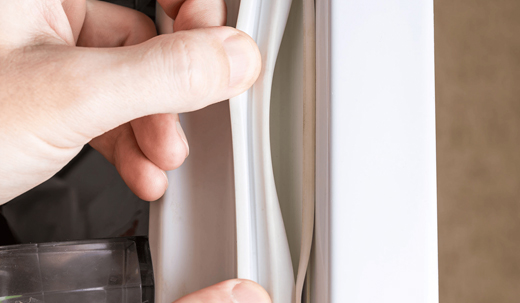
Check your ice bucket position
The ice maker may overproduce ice if the bucket is positioned too low for the pile to trigger the optical sensor or mechanical arm.
Locate the ice bucket shelf directly under the ice maker
Mount the shelf on the highest rail position
Confirm the shelf is seated on the rail (not hanging below it)
* If the ice bucket is already in the correct position, proceed to the next step.
Did this solve your issue?
Select “No” for more help.
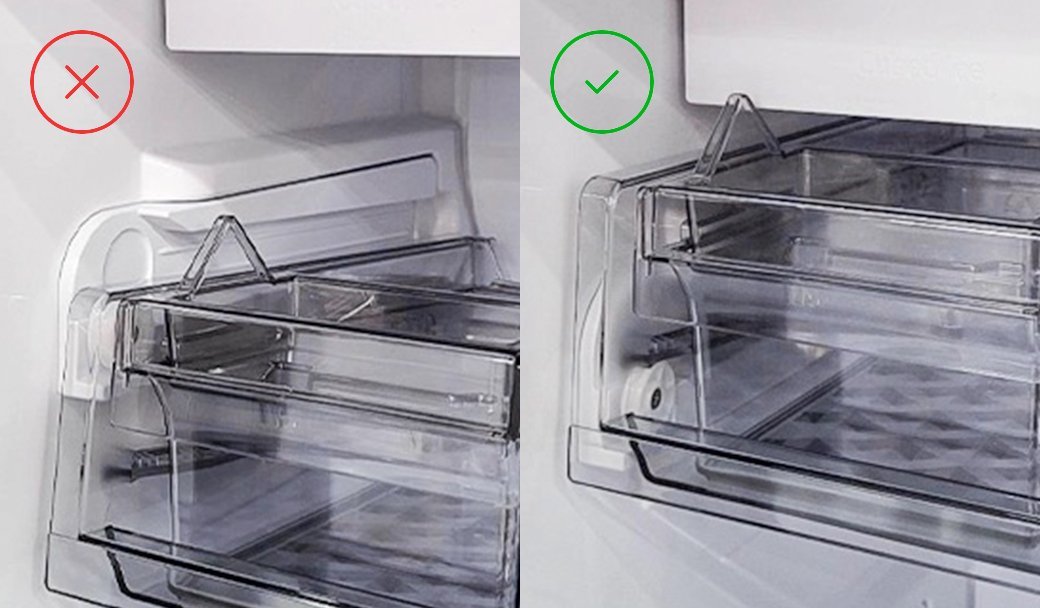
Still making too much ice?
We're sorry your refrigerator issue isn't resolved yet.
Explore more options below.
What is your symptom?
Check the ice bucket
Remove the ice bucket
Clear any ice buildup
Reinstall it properly so it clicks into place
Did this solve your issue?
Select “No” for more help.
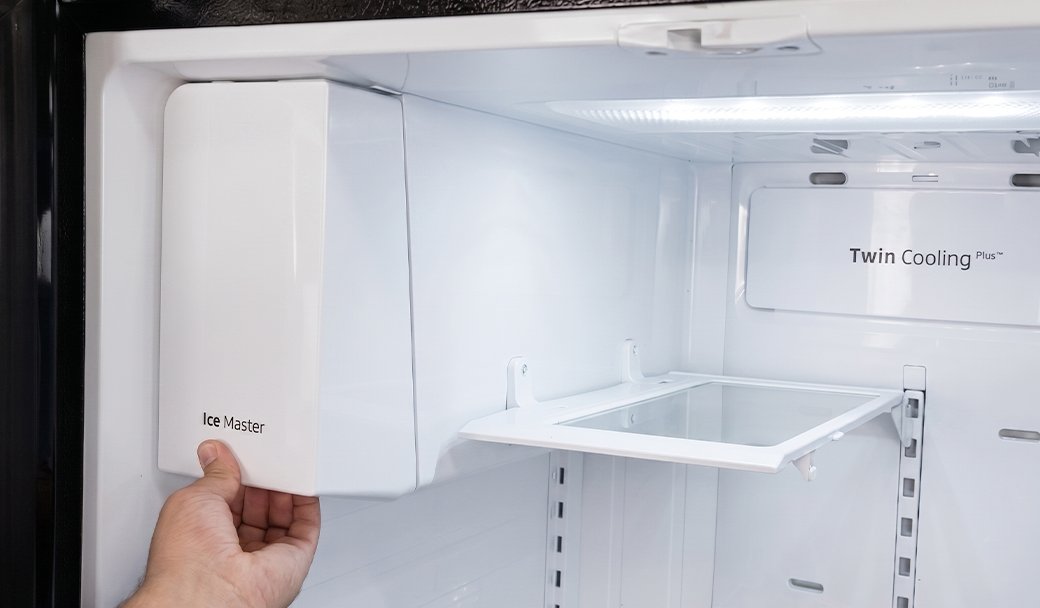
Check the freezer temperature
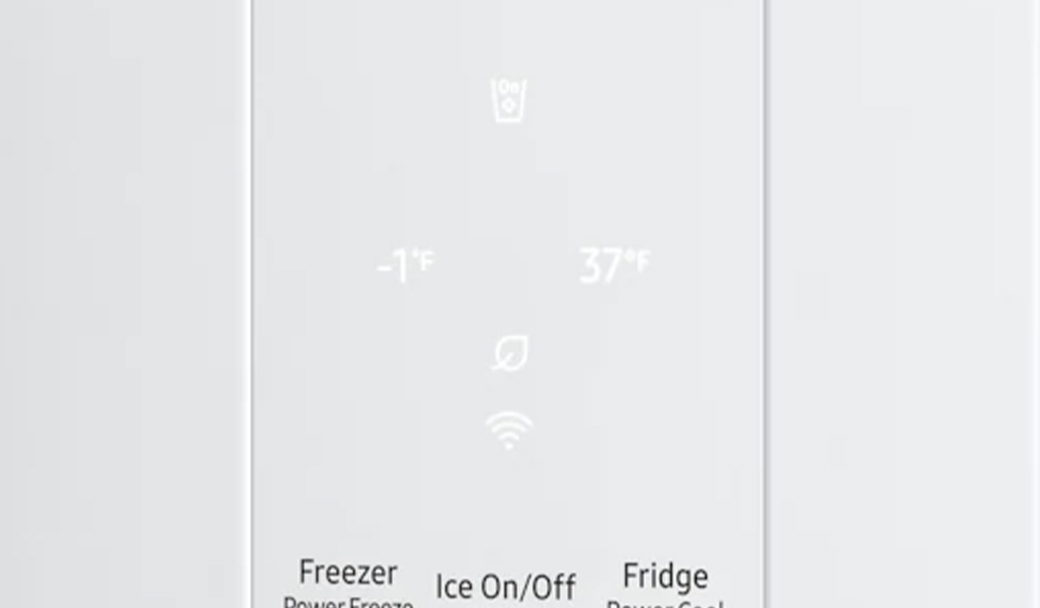
The freezer needs to be at 0°F or less in order to produce ice.
Set freezer to 0°F
Wait 3 hours
Check if ice is produced
* If the freezer is already set to 0°F or lower, proceed to the next step.
Did this solve your issue?
Select “No” for more help.
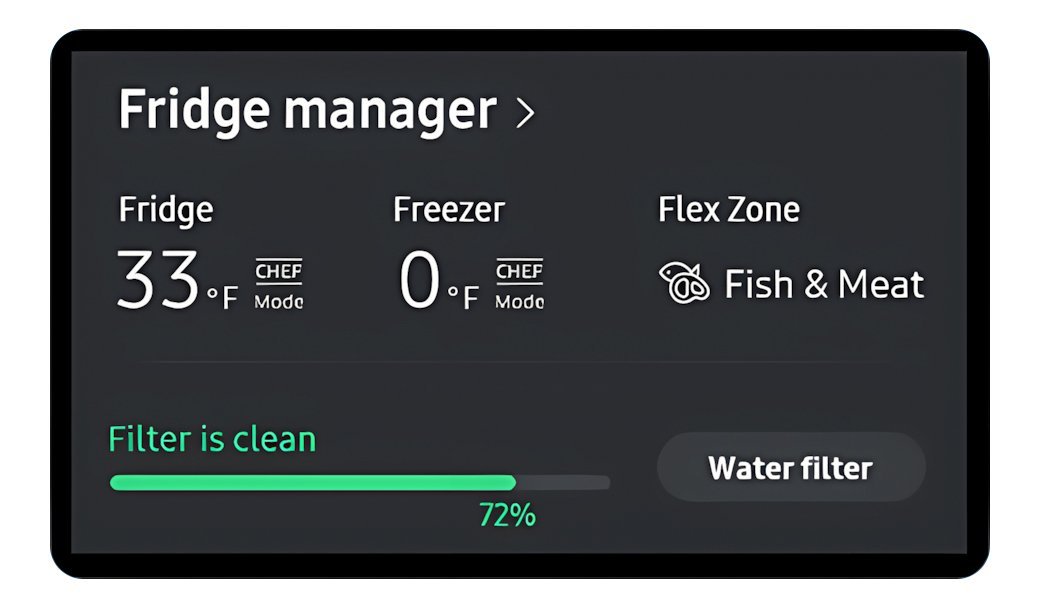
Check the freezer temperature
The freezer needs to be at 0°F or less in order to produce ice.
Set freezer to 0°F
Wait 3 hours
Check if ice is produced
* If the freezer is already set to 0°F or lower, proceed to the next step.
Did this solve your issue?
Select “No” for more help.
Still not making ice?
We're sorry your refrigerator issue isn't resolved yet.
Explore more options below.
Glad we could assist!
Enjoy your Samsung Refrigerator experience.
Do you need help with anything else?
Check water dispensing and pressure
Low water pressure prevents the ice maker from filling properly or producing ice.
Dispense water into a measuring cup
Check if it fills 6 oz (¾ cup) in under 10 seconds
If no water comes out -> Check water line connection
If it fills too slowly -> Proceed to the next step
No dispenser to test > Proceed to the next step
Did this solve your issue?
Select “No” for more help.
Perform a power reset
A software glitch in the control board can cause it to send voltage to the water valve and ice motor at the same time.
Unplug the refrigerator for 60 seconds
Plug the unit back in to reboot the system
Did this solve your issue?
Select “No” for more help.
Check the water filter
A clogged or old water filter can restrict the flow of water required for the ice maker to function.
Remove the water filter
Repeat the 10-second water test
If water flow improves without the filter -> Replace the filter
Check if the main water supply valve is fully open
If there is no improvement -> Proceed to the next step
Did this solve your issue?
Select “No” for more help.
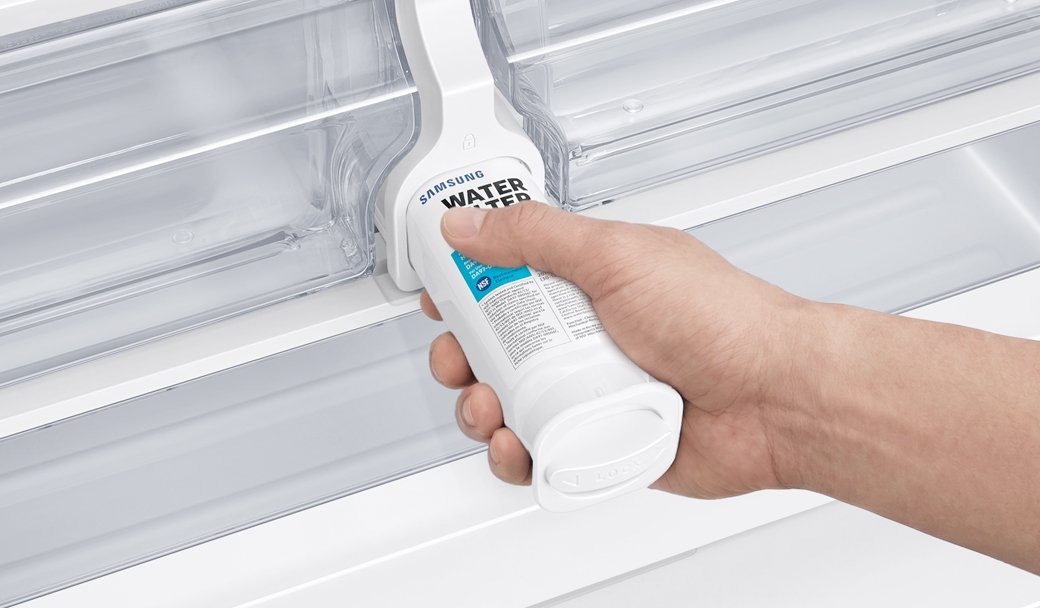
Check door alignment and leveling
If there is a gap between the ice bucket and the ice chute, warm air will enter the ice maker compartment and cause frost.
Check front-to-back level
Adjust side-to-side level
Align door heights
Did this solve your issue?
Select “No” for more help.
Still not making ice?
We're sorry your refrigerator issue isn't resolved yet.
Explore more options below.
Reset the ice maker
The ice maker may require a manual reset to clear internal errors and restart the harvest cycle.
* Before starting, remove the lower ice tray and check for frost buildup (usually from a door left ajar) that blocks movement.
Press and hold the Test button until it chimes (or you hear the ice maker move)
- If there is no chime or ice maker response, turn off power to the unit for 2 minutes
- Turn the power back on and press the Test button againWatch the cycle run to ensure the arm moves, the tray twists, and you hear water filling
Wait 3 hours, then check for ice
Did this solve your issue?
Select “No” for more help.
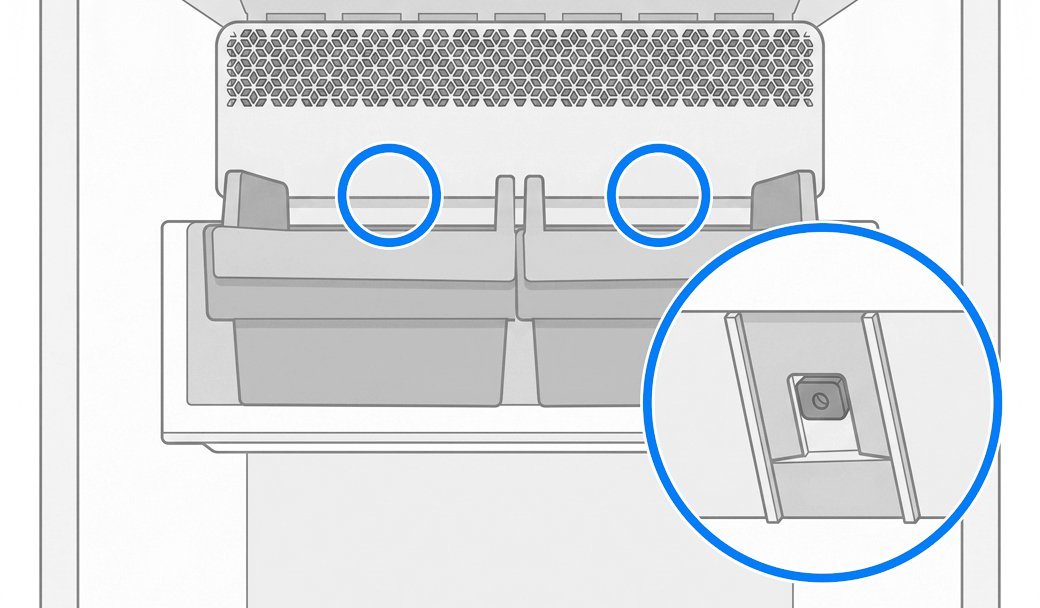
Verify the ice maker is on
The Ice Maker On icon illuminates on the display panel to indicate that the ice making function has been activated.
Tap the Ice Maker button until Ice Maker On lights up
Wait 3 hours, then check for ice
* If the ice maker is already on, proceed to the next step.
Did this solve your issue?
Select “No” for more help.
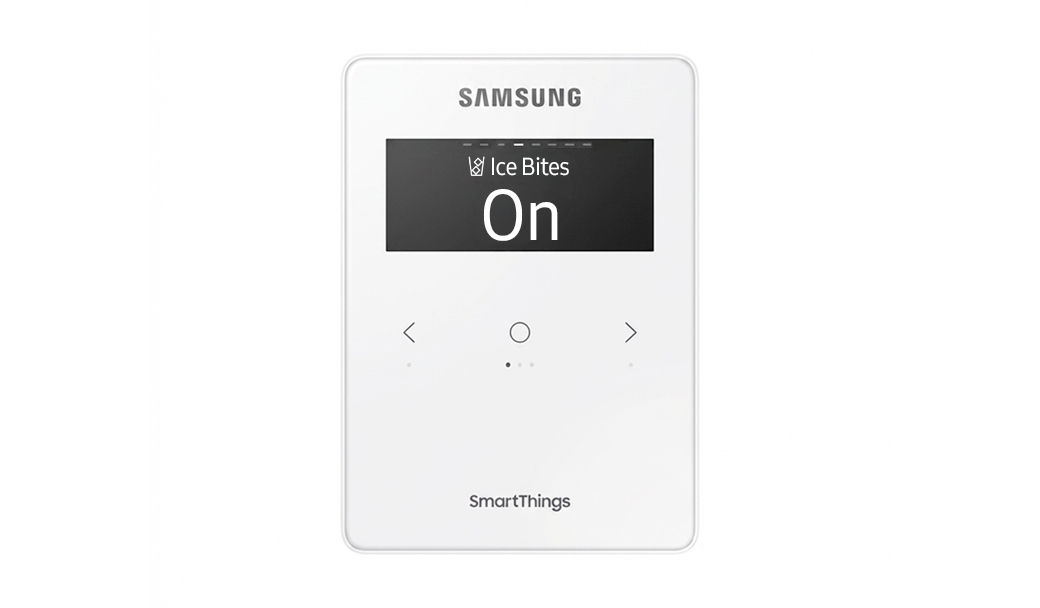
Check door alignment and leveling
If there is a gap between the ice bucket and the ice chute, warm air will enter the ice maker compartment and cause frost.
Check front-to-back level
Adjust side-to-side level
Align door heights
Did this solve your issue?
Select “No” for more help.
Check the water filter
A clogged or old water filter can restrict the flow of water required for the ice maker to function.
Remove the water filter
Repeat the 10-second water test
If water flow improves without the filter -> Replace the filter
Check if the main water supply valve is fully open
If there is no improvement -> Proceed to the next step
Did this solve your issue?
Select “No” for more help.
Clear the ice chute
Residual ice shards trapped in the chute melt over time and can leak out as a stream of water when you dispense ice.
Clear the chute manually of any trapped ice
Dispense several cubes to sweep out remaining slush or debris
Did this solve your issue?
Select “No” for more help.
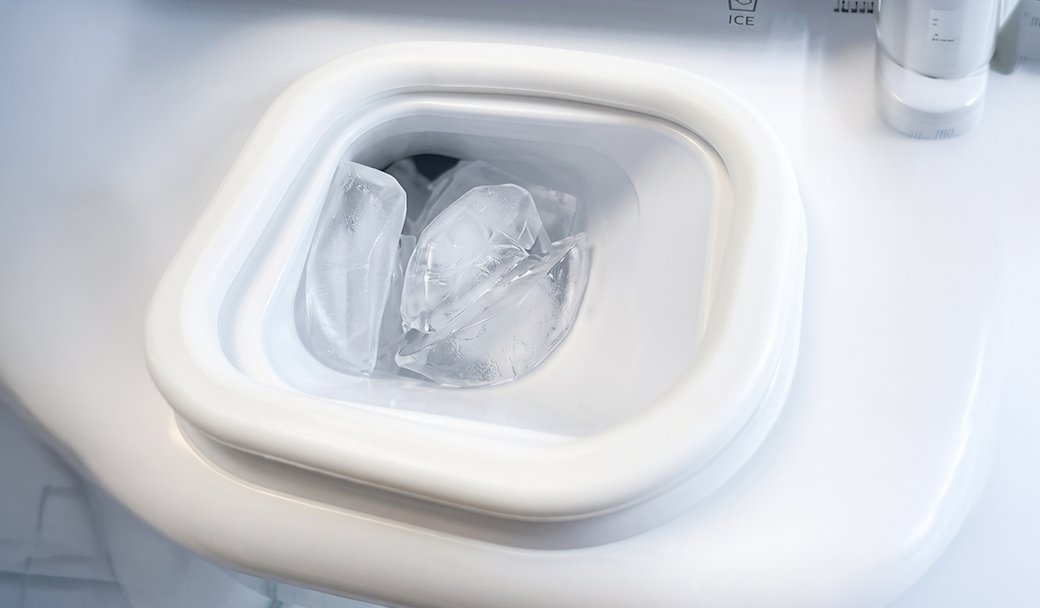
Check door alignment and leveling
If there is a gap between the ice bucket and the ice chute, warm air will enter the ice maker compartment and cause frost.
Check front-to-back level
Adjust side-to-side level
Align door heights
Did this solve your issue?
Select “No” for more help.
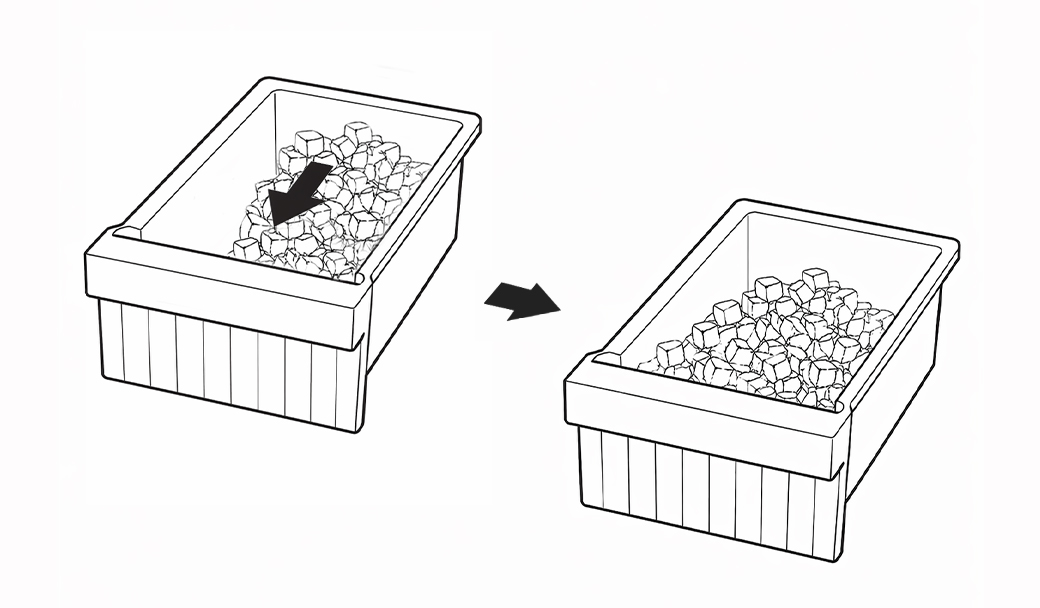
Shift ice forward in the bucket
Your ice maker may produce less ice if ice is piling up behind the ice maker.
Shift ice toward the front of the bucket
Dispense ice regularly to keep the bucket from reaching its 2-pound capacity
Did this solve your issue?
Select “No” for more help.
Did this solve your issue?
Reset the ice maker
The ice maker may require a manual reset to clear internal errors and restart the harvest cycle.
* Before starting, remove the lower ice tray and check for frost buildup (usually from a door left ajar) that blocks movement.
Press and hold the Test button until it chimes (or you hear the ice maker move)
- If there is no chime or ice maker response, turn off power to the unit for 2 minutes
- Turn the power back on and press the Test button againWatch the cycle run to ensure the arm moves, the tray twists, and you hear water filling
Wait 3 hours, then check for ice
Select “No” for more help.
Still getting contaminated ice?
We're sorry your refrigerator issue isn't resolved yet.
Explore more options below.
Still making too much ice?
We're sorry your refrigerator issue isn't resolved yet.
Explore more options below.
Inspect the door and ice bucket seals
Gaps in the rubber seals allow warm, moist air to enter the freezer and turn into frost.
Clean the rubber door gaskets with warm soapy water
Remove any debris from the ice bucket seal
Replace the ice bucket if the integrated seal is damaged
Did this solve your issue?
Select “No” for more help.
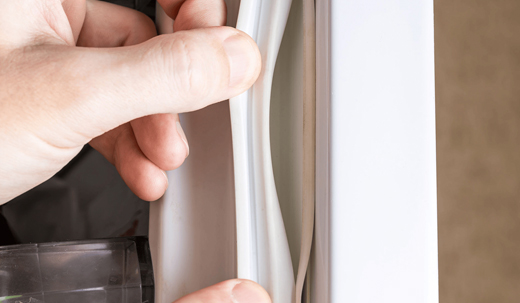
Inspect the door and ice bucket seals
Gaps in the rubber seals allow warm, moist air to enter the freezer and turn into frost.
Clean the rubber door gaskets with warm soapy water
Remove any debris from the ice bucket seal
Replace the ice bucket if the integrated seal is damaged
* If the seals are already clean and undamaged, proceed to the next step.
Did this solve your issue?
Select “No” for more help.
Discard a few batches of ice
New installations or periods of inactivity can cause stale water to settle in the lines, while new filters may leave trace carbon in the water, presenting black flakes in the cubes.
Discard the first 2 or 3 full buckets of ice from both bins
Repeat this process if the ice quality continues to improve
Did this solve your issue?
Select “No” for more help.
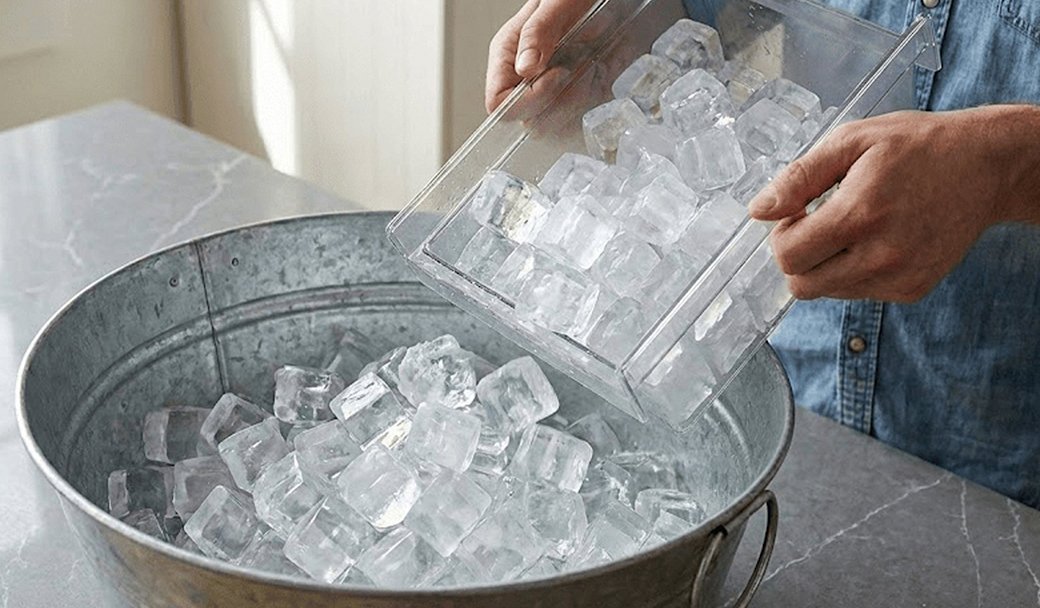
Still not making ice?
We're sorry your refrigerator issue isn't resolved yet.
Explore more options below.
Perform a power reset
A software glitch in the control board can cause it to send voltage to the water valve and ice motor at the same time.
Unplug the refrigerator for 60 seconds
Plug the unit back in to reboot the system
Did this solve your issue?
Select “No” for more help.
Reset the ice maker
The ice maker may require a manual reset to clear internal errors and restart the harvest cycle.
* Before starting, remove the lower ice tray and check for frost buildup (usually from a door left ajar) that blocks movement.
Press and hold the Test button until it chimes (or you hear the ice maker move)
- If there is no chime or ice maker response, turn off power to the unit for 2 minutes
- Turn the power back on and press the Test button againWatch the cycle run to ensure the arm moves, the tray twists, and you hear water filling
Wait 3 hours, then check for ice
Did this solve your issue?
Select “No” for more help.
Reconnect the wiring harness
A loose or improperly connected wiring harness at the top of the door can cause the dispenser to malfunction and release water instead of ice.
Remove the hinge cover
Unplug and firmly reseat the harness
Reattach the door hinge cover
If no wiring harness > Proceed to the next step
Select “No” for more help.
Still getting contaminated ice?
We're sorry your refrigerator issue isn't resolved yet.
Explore more options below.
Check the water filter
A clogged or old water filter can restrict the flow of water required for the ice maker to function.
Remove the water filter
Repeat the 10-second water test
If water flow improves without the filter -> Replace the filter
Check if the main water supply valve is fully open
If there is no improvement -> Proceed to the next step
Did this solve your issue?
Select “No” for more help.
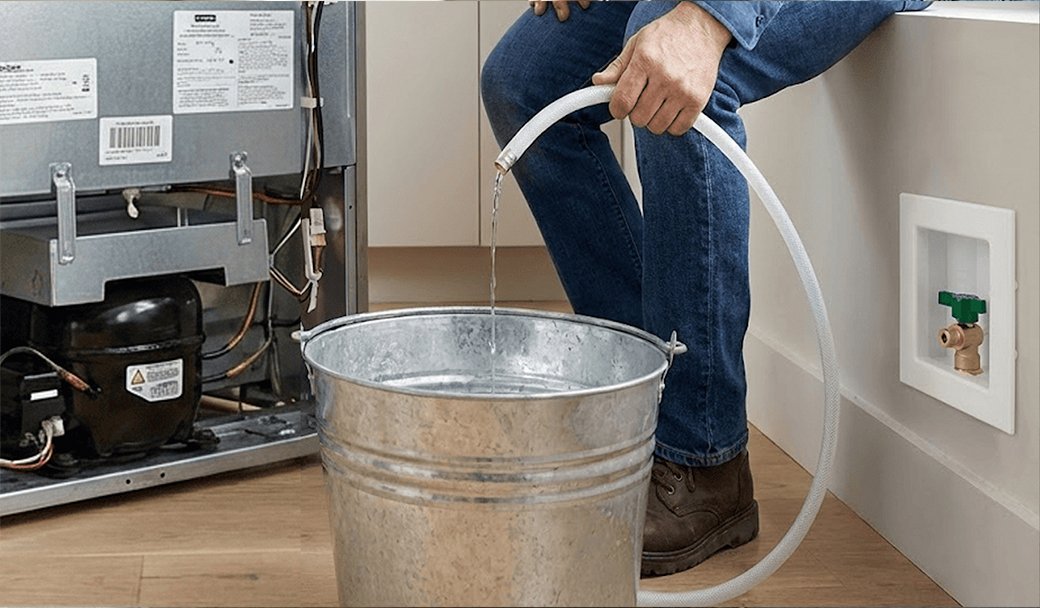
Clean the water supply line
Debris or mineral deposits within the home's water supply line can travel into the refrigerator, which often occurs after recent plumbing work in the home or neighborhood.
Flush the water line into a bucket
Wash the ice buckets to remove any transferred residue
Did this solve your issue?
Select “No” for more help.
Check water dispensing and pressure
Low water pressure prevents the ice maker from filling properly or producing ice.
Dispense water into a measuring cup
Check if it fills 6 oz (¾ cup) in under 10 seconds
If no water comes out -> Check water line connection
If it fills too slowly -> Proceed to the next step
No dispenser to test > Proceed to the next step
Did this solve your issue?
Select “No” for more help.
Verify the ice maker is on
The ice maker can be turned on or off in Fridge Settings. If it is turned off, the refrigerator will not produce ice.
Open Fridge Settings on the Family Hub display.
Turn on the available ice maker options (such as Cubed or Ice Bites).
Wait about 3 hours, then check for ice.
* If the ice maker is already on, proceed to the next step.
Did this solve your issue?
Select “No” for more help.
Reset the ice maker
The ice maker may require a manual reset to clear internal errors and restart the harvest cycle.
* Before starting, remove the lower ice tray and check for frost buildup (usually from a door left ajar) that blocks movement.
Press and hold the Test button until it chimes (or you hear the ice maker move)
- If there is no chime or ice maker response, turn off power to the unit for 2 minutes
- Turn the power back on and press the Test button againWatch the cycle run to ensure the arm moves, the tray twists, and you hear water filling
Wait 3 hours, then check for ice
Did this solve your issue?
Select “No” for more help.
Check water dispensing and pressure
Low water pressure prevents the ice maker from filling properly or producing ice.
Dispense water into a measuring cup
Check if it fills 6 oz (¾ cup) in under 10 seconds
If no water comes out -> Check water line connection
If it fills too slowly -> Proceed to the next step
No dispenser to test > Proceed to the next step
Did this solve your issue?
Select “No” for more help.
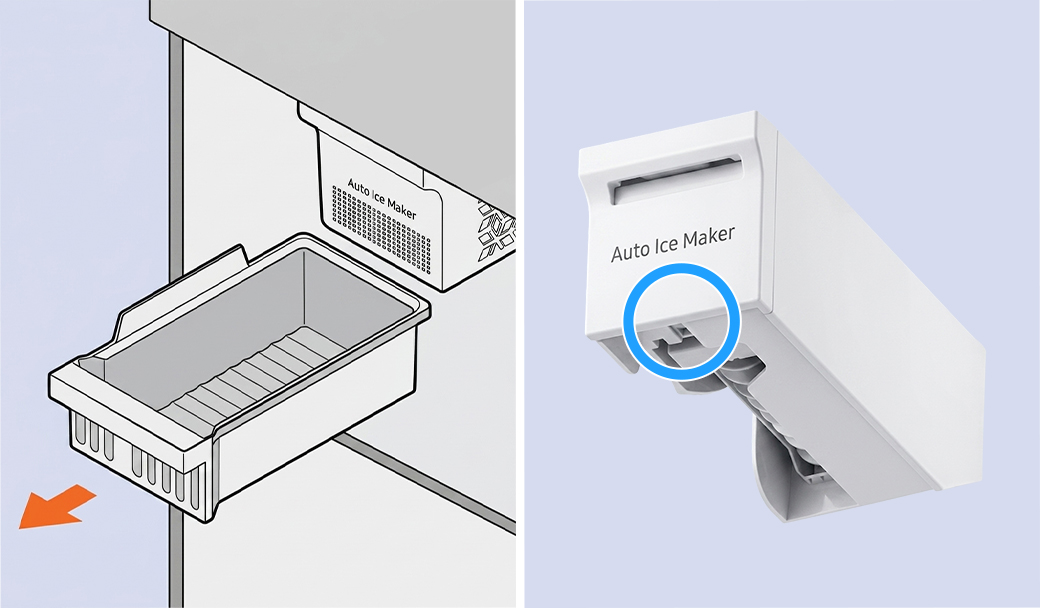
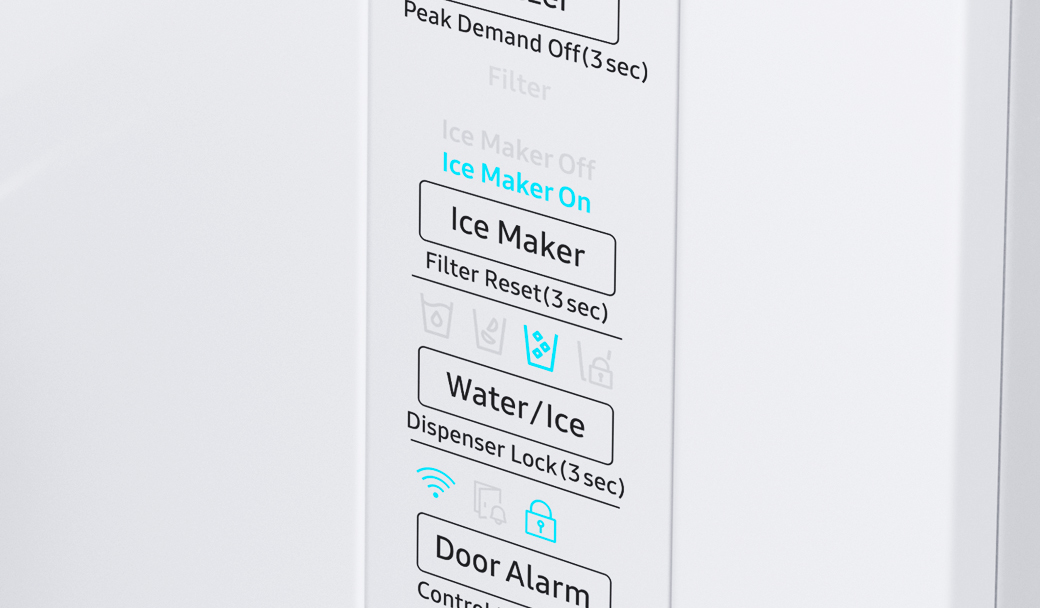
Verify the ice maker is on
The Ice Maker On icon illuminates on the display panel to indicate that the ice making function has been activated.
Tap the Ice Maker button until Ice Maker On lights up
Wait 3 hours, then check for ice
* If the ice maker is already on, proceed to the next step.
Did this solve your issue?
Select “No” for more help.
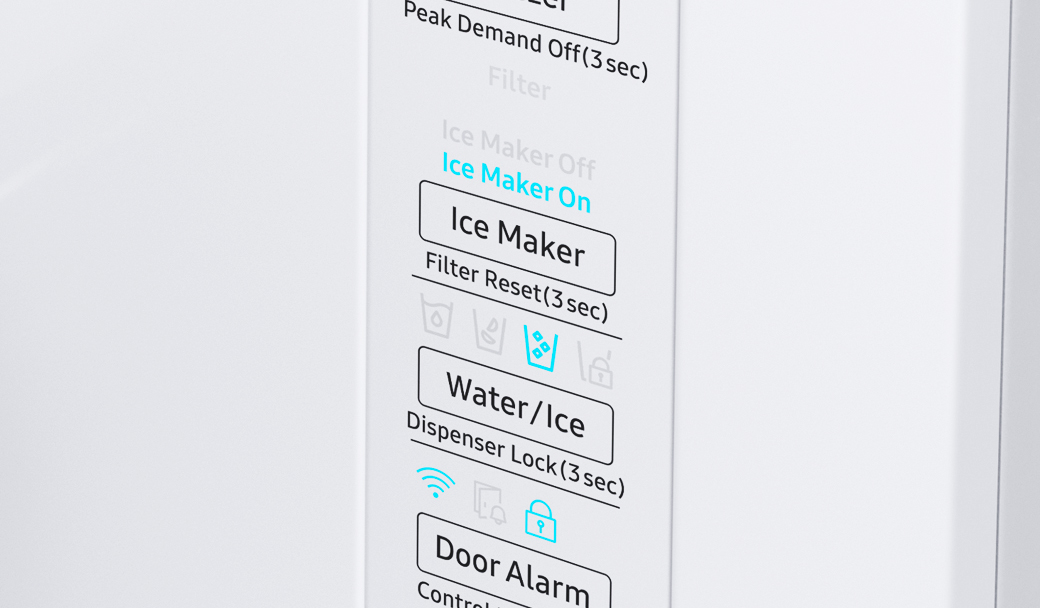
Check for fused ice clumps
Ice cubes that have melted and refrozen into large clumps can jam the auger mechanism and prevent ice from reaching the dispenser.
Empty the ice bucket completely to remove fused ice blocks
Turn on the ice maker and wait about 3 hours for a new batch of ice
Try dispensing ice again
Did this solve your issue?
Select “No” for more help.
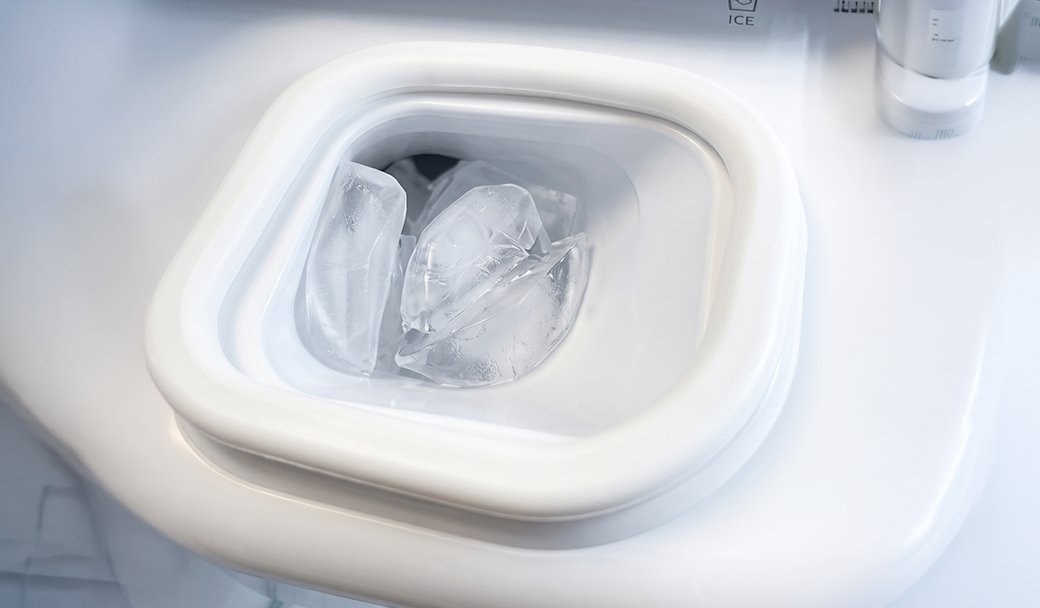
Still not dispensing ice?
We're sorry your refrigerator issue isn't resolved yet.
Explore more options below.
Still getting contaminated ice?
We're sorry your refrigerator issue isn't resolved yet.
Explore more options below.
Clear feeler arm obstructions
The ice maker may continue production if the feeler arm is physically propped up or stuck in the "up" position.
Remove any ice bits frozen onto the arm
Place the ice scoop in its holster away from the arm
No feeler arm > Proceed to the next step
Did this solve your issue?
Select “No” for more help.
Still seeing frost?
We're sorry your refrigerator issue isn't resolved yet.
Explore more options below.
Check the water filter
A clogged or old water filter can restrict the flow of water required for the ice maker to function.
Remove the water filter
Repeat the 10-second water test
If water flow improves without the filter -> Replace the filter
Check if the main water supply valve is fully open
If there is no improvement -> Proceed to the next step
Did this solve your issue?
Select “No” for more help.
What is your symptom?
Where are you having issues?
Still not making enough ice?
We're sorry your refrigerator issue isn't resolved yet.
Explore more options below.
Clear the frost away
Frost can build up if moisture enters the freezer. Depending on the thickness, you must clear it to allow the sensors and seals to work correctly.
Light frost: Wipe away with a damp cloth and dry the area immediately with a second cloth
Medium frost: Gently remove the buildup with a plastic scraper, then wipe and dry the surface
Heavy frost: If the buildup is too thick to remove by hand, you will need to perform a
Did this solve your issue?
Select “No” for more help.
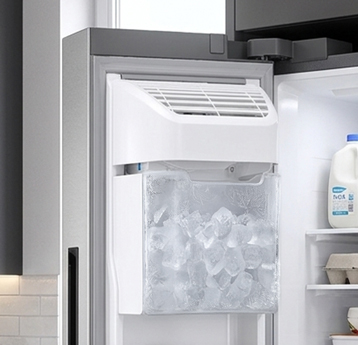
Reset the ice maker
The ice maker may require a manual reset to clear internal errors and restart the harvest cycle.
Remove the ice bucket
Press and hold the Test button until it chimes
Unplug or turn off the fridge for 2 minutes if no chime is heard
Turn power back on and reattach the ice bucket
Press the Test button again
Wait 3 hours, then check for ice
Did this solve your issue?
Select “No” for more help.
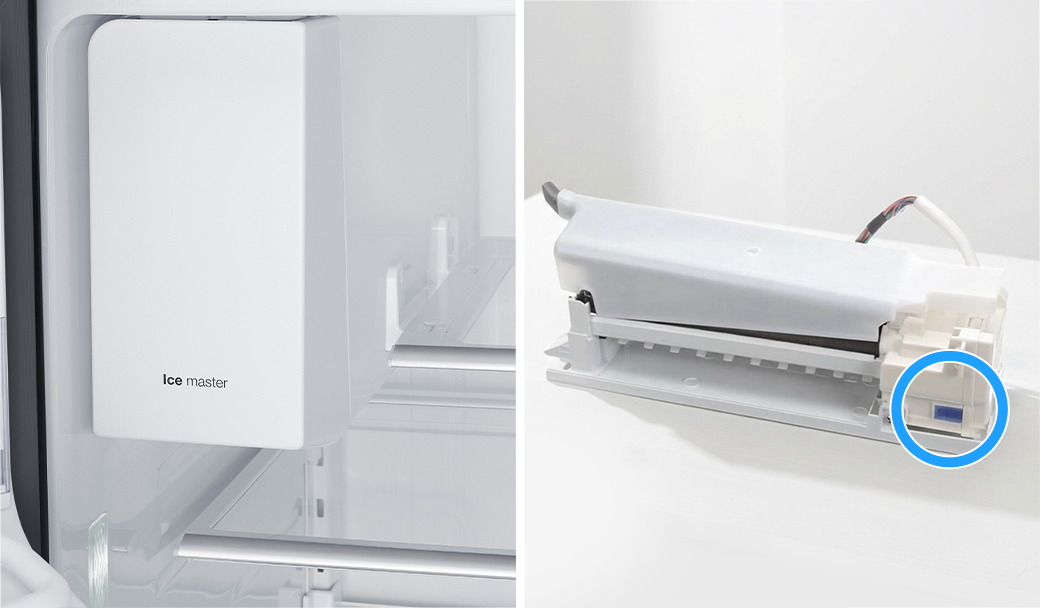
Verify the ice maker is on
The ice maker can be turned on or off in Fridge Settings. If it is turned off, the refrigerator will not produce ice.
Open Fridge Settings on the Family Hub display.
Turn on the available ice maker options (such as Cubed or Ice Bites).
Wait about 3 hours, then check for ice.
* If the ice maker is already on, proceed to the next step.
Did this solve your issue?
Select “No” for more help.
Check the water filter
A clogged or old water filter can restrict the flow of water required for the ice maker to function.
Remove the water filter
Repeat the 10-second water test
If water flow improves without the filter -> Replace the filter
Check if the main water supply valve is fully open
If there is no improvement -> Proceed to the next step
Did this solve your issue?
Select “No” for more help.
Check door alignment and leveling
If there is a gap between the ice bucket and the ice chute, warm air will enter the ice maker compartment and cause frost.
Check front-to-back level
Adjust side-to-side level
Align door heights
Did this solve your issue?
Select “No” for more help.
Discard a few batches of ice
New installations or periods of inactivity can cause dust, air, or stale water to settle in the lines.
Discard the first 2 or 3 full buckets of ice from both bins
Repeat this process if the ice quality continues to improve
Did this solve your issue?
Select “No” for more help.
Clear feeler arm obstructions
The ice maker may continue production if the feeler arm is physically propped up or stuck in the "up" position.
Remove any ice bits frozen onto the arm
Place the ice scoop in its holster away from the arm
No feeler arm > Proceed to the next step
Did this solve your issue?
Select “No” for more help.
Check the freezer temperature
The freezer needs to be at 0°F or less in order to produce ice.
Set freezer to 0°F
Wait 3 hours
Check if ice is produced
* If the freezer is already set to 0°F or lower, proceed to the next step.
Did this solve your issue?
Select “No” for more help.

Shift ice forward in the bucket
Your ice maker may produce less ice if ice is piling up behind the ice maker.
Shift ice toward the front of the bucket
Dispense ice regularly to keep the bucket from reaching its 2-pound capacity
Did this solve your issue?
Select “No” for more help.
Check water dispensing and pressure
Low water pressure prevents the ice maker from filling properly or producing ice.
Dispense water into a measuring cup
Check if it fills 6 oz (¾ cup) in under 10 seconds
If no water comes out -> Check water line connection
If it fills too slowly -> Proceed to the next step
No dispenser to test > Proceed to the next step
Did this solve your issue?
Select “No” for more help.
Still not making ice?
We're sorry your refrigerator issue isn't resolved yet.
Explore more options below.
Reset the ice maker
The ice maker may require a manual reset to clear internal errors and restart the harvest cycle.
* Before starting, remove the lower ice tray and check for frost buildup (usually from a door left ajar) that blocks movement.
Press and hold the Test button until it chimes (or you hear the ice maker move)
- If there is no chime or ice maker response, turn off power to the unit for 2 minutes
- Turn the power back on and press the Test button againWatch the cycle run to ensure the arm moves, the tray twists, and you hear water filling
Wait 3 hours, then check for ice
Did this solve your issue?
Select “No” for more help.
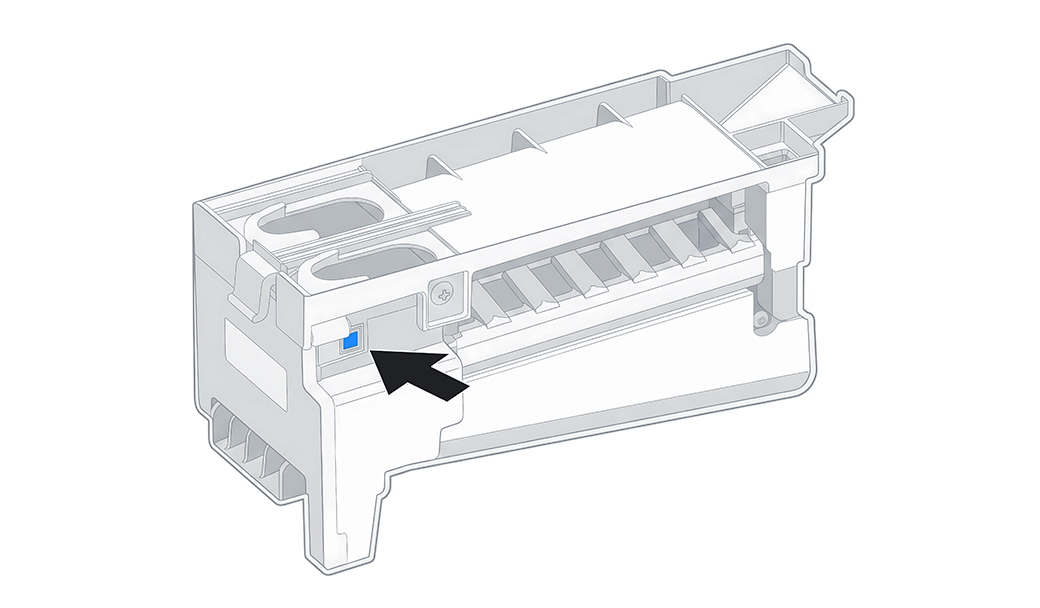
Inspect the door and ice bucket seals
Gaps in the rubber seals allow warm, moist air to enter the freezer and turn into frost.
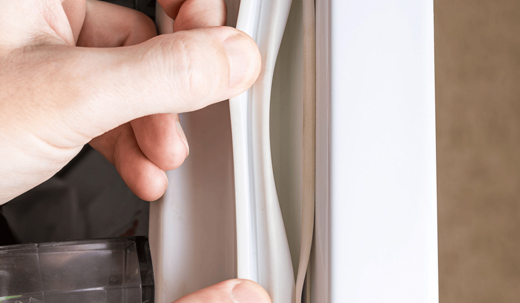
Clean the rubber door gaskets with warm soapy water
Remove any debris from the ice bucket seal
Replace the ice bucket if the integrated seal is damaged
* If the seals are already clean and undamaged, proceed to the next step.
Did this solve your issue?
Select “No” for more help.
Discard a few batches of ice
New installations or periods of inactivity can cause stale water to settle in the lines, while new filters may leave trace carbon in the water, presenting black flakes in the cubes.
Discard the first 2 or 3 full buckets of ice from both bins
Repeat this process if the ice quality continues to improve
Did this solve your issue?
Select “No” for more help.
Still dispensing ice and water together?
We're sorry your refrigerator issue isn't resolved yet.
Explore more options below.
Verify the ice maker is on
The Ice Maker On icon illuminates on the display panel to indicate that the ice making function has been activated.
Tap the Ice Maker button until Ice Maker On lights up
Wait 3 hours, then check for ice
* If the ice maker is already on, proceed to the next step.
Did this solve your issue?
Select “No” for more help.

Still dispensing water instead of ice?
We're sorry your refrigerator issue isn't resolved yet.
Explore more options below.
Still not making ice?
We're sorry your refrigerator issue isn't resolved yet.
Explore more options below.
Check the ice bucket for ice to dispense
If the ice bucket is empty, the dispenser may release water instead of ice.
Check the ice bucket for ice to dispense
If the bucket is empty, turn on the ice maker
Wait 3 hours, then check for ice
Try dispensing ice again
Did this solve your issue?
Select “No” for more help.
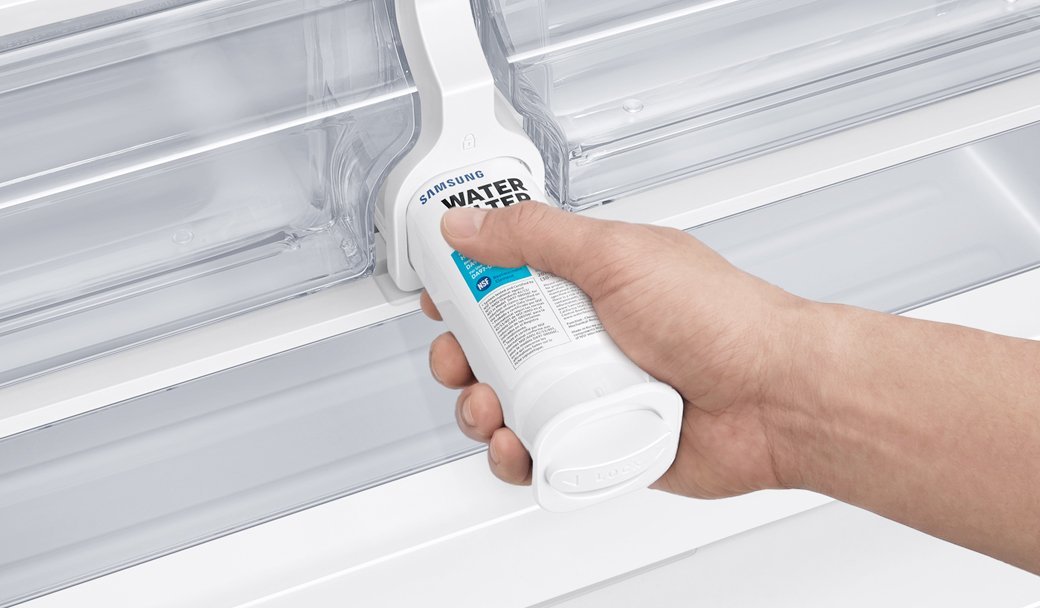
Replace the water filter
An expired or non-genuine water filter can fail to remove impurities or may release carbon flecks into the ice.
Replace the filter with a genuine Samsung filter
Discard the first 2-3 batches of ice
Replace the filter every six months
Did this solve your issue?
Select “No” for more help.
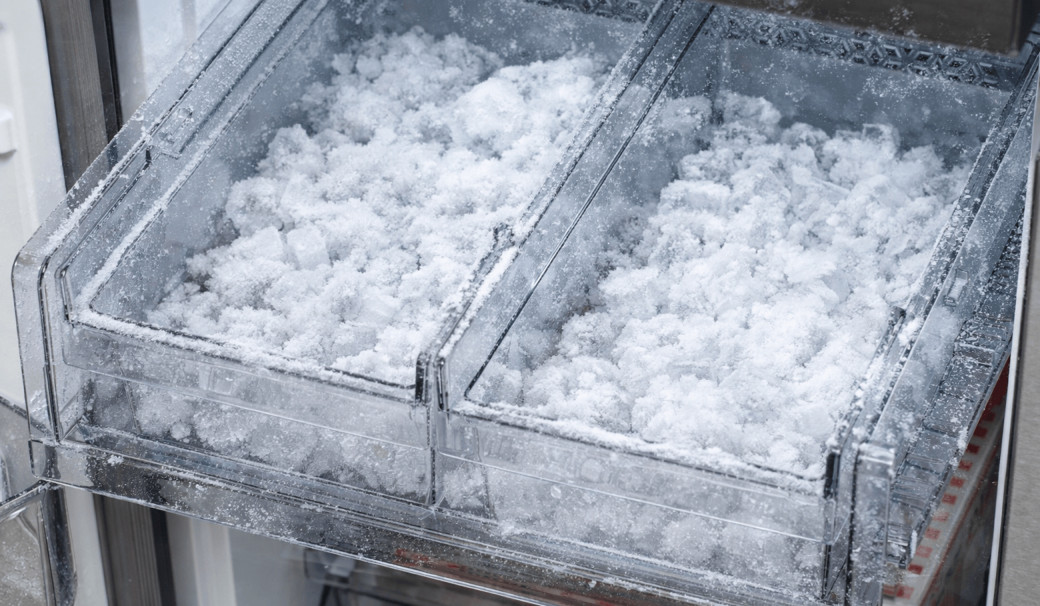
Shift ice forward in the bucket
Your ice maker may produce less ice if ice is piling up behind the ice maker.
Shift ice toward the front of the bucket
Dispense ice regularly to keep the bucket from reaching its 2-pound capacity
Did this solve your issue?
Select “No” for more help.
What is your symptom?
Still not making ice?
We're sorry your refrigerator issue isn't resolved yet.
Explore more options below.
Check the water filter
A clogged or old water filter can restrict the flow of water required for the ice maker to function.
Remove the water filter
Repeat the 10-second water test
If water flow improves without the filter -> Replace the filter
Check if the main water supply valve is fully open
If there is no improvement -> Proceed to the next step
Did this solve your issue?
Select “No” for more help.
Still not making ice?
We're sorry your refrigerator issue isn't resolved yet.
Explore more options below.
Still making too much ice?
We're sorry your refrigerator issue isn't resolved yet.
Explore more options below.
Clear the frost away
Frost can build up if moisture enters the freezer. Depending on the thickness, you must clear it to allow the sensors and seals to work correctly.
Light frost: Wipe away with a damp cloth and dry the area immediately with a second cloth
Medium frost: Gently remove the buildup with a plastic scraper, then wipe and dry the surface
Heavy frost: If the buildup is too thick to remove by hand, you will need to perform a
Did this solve your issue?
Select “No” for more help.
Check if Child Lock or Dispenser Lock is enabled
The Child Lock or Dispenser Lock feature electronically disables the panel and dispenser, which is typically indicated by a lit or flashing padlock icon.
Turn off the lock feature to restore power to the dispenser and buttons.
Did this solve your issue?
Select “No” for more help.
Check the IR (optical) sensor
The ice maker may fail to detect the correct ice level if the optical sensor is obstructed by frost, debris, or the ice scoop.
Wipe the sensor lens
Place the ice scoop away from the sensor's path
Did this solve your issue?
Select “No” for more help.
Clear the frost away
Frost can build up if moisture enters the freezer. Depending on the thickness, you must clear it to allow the sensors and seals to work correctly.
Light frost: Wipe away with a damp cloth and dry the area immediately with a second cloth
Medium frost: Gently remove the buildup with a plastic scraper, then wipe and dry the surface
Heavy frost: If the buildup is too thick to remove by hand, you will need to perform a
Did this solve your issue?
Select “No” for more help.
Check the water filter
A clogged or old water filter can restrict the flow of water required for the ice maker to function.
Remove the water filter
Repeat the 10-second water test
If water flow improves without the filter -> Replace the filter
Check if the main water supply valve is fully open
If there is no improvement -> Proceed to the next step
Did this solve your issue?
Select “No” for more help.
Check the water filter
A clogged or old water filter can restrict the flow of water required for the ice maker to function.
Remove the water filter
Repeat the 10-second water test
If water flow improves without the filter -> Replace the filter
Check if the main water supply valve is fully open
If there is no improvement -> Proceed to the next step
Did this solve your issue?
Select “No” for more help.
Check your ice bucket position
The ice maker may overproduce ice if the bucket is positioned too low for the pile to trigger the optical sensor or mechanical arm.
Locate the ice bucket shelf directly under the ice maker
Mount the shelf on the highest rail position
Confirm the shelf is seated on the rail (not hanging below it)
* If the ice bucket is already in the correct position, proceed to the next step.
Did this solve your issue?
Select “No” for more help.
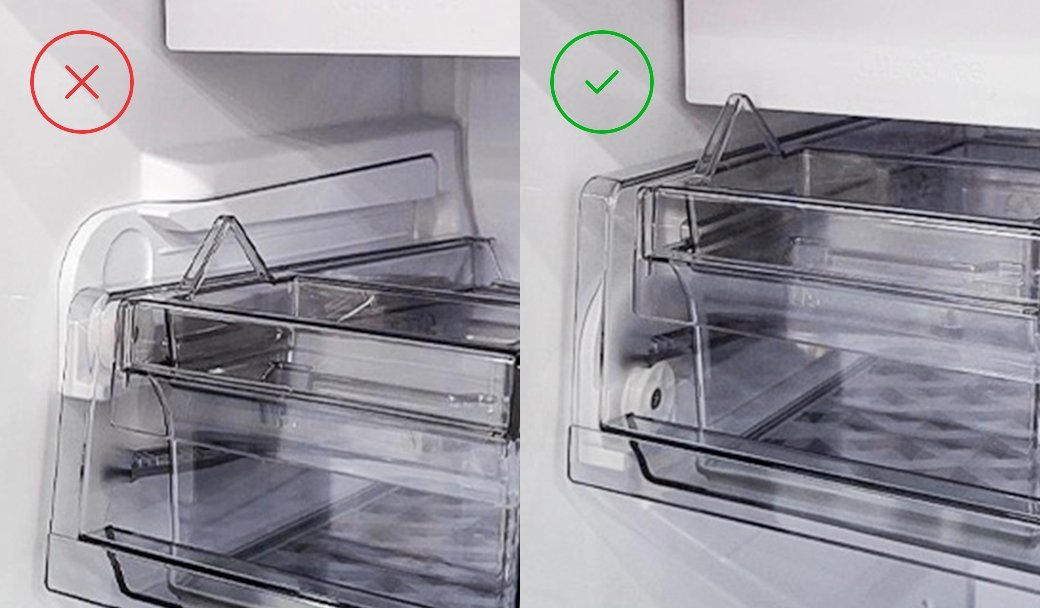
Where is the control panel located?
Where is the control panel located?
Where are you having issues?
Check the IR (optical) sensor
The ice maker may fail to detect the correct ice level if the optical sensor is obstructed by frost, debris, or the ice scoop.
Wipe the sensor lens
Place the ice scoop away from the sensor's path
Select “No” for more help.
Check the freezer temperature
The freezer needs to be at 0°F or less in order to produce ice.
Set freezer to 0°F
Wait 3 hours
Check if ice is produced
* If the freezer is already set to 0°F or lower, proceed to the next step.
Did this solve your issue?
Select “No” for more help.

Still making too much ice?
We're sorry your refrigerator issue isn't resolved yet.
Explore more options below.
Check the water filter
A clogged or old water filter can restrict the flow of water required for the ice maker to function.
Remove the water filter
Repeat the 10-second water test
If water flow improves without the filter -> Replace the filter
Check if the main water supply valve is fully open
If there is no improvement -> Proceed to the next step
Did this solve your issue?
Select “No” for more help.
Check the ice bucket
Remove the ice bucket
Clear any ice buildup
Reinstall it properly so it clicks into place
Did this solve your issue?
Select “No” for more help.
Clear feeler arm obstructions
The ice maker may continue production if the feeler arm is physically propped up or stuck in the “up” position.
Remove any ice bits frozen onto the arm
Place the ice scoop in its holster away from the arm
Did this solve your issue?
Select “No” for more help.
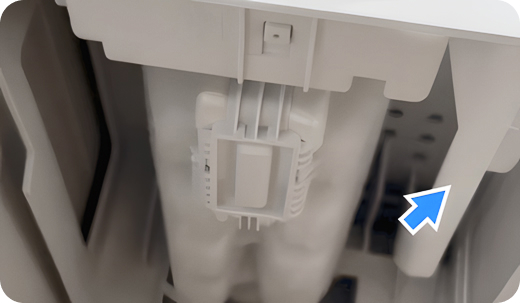
Check water dispensing and pressure
Low water pressure prevents the ice maker from filling properly or producing ice.
Dispense water into a measuring cup
Check if it fills 6 oz (¾ cup) in under 10 seconds
If no water comes out -> Check water line connection
If it fills too slowly -> Proceed to the next step
No dispenser to test > Proceed to the next step
Did this solve your issue?
Select “No” for more help.
Check water dispensing and pressure
Low water pressure prevents the ice maker from filling properly or producing ice.
Dispense water into a measuring cup
Check if it fills 6 oz (¾ cup) in under 10 seconds
If no water comes out -> Check water line connection
If it fills too slowly -> Proceed to the next step
No dispenser to test > Proceed to the next step
Did this solve your issue?
Select “No” for more help.
Check your ice bucket position
The ice maker may overproduce ice if the bucket is positioned too low for the pile to trigger the optical sensor or mechanical arm.
Locate the ice bucket shelf directly under the ice maker
Mount the shelf on the highest rail position
Confirm the shelf is seated on the rail (not hanging below it)
* If the ice bucket is already in the correct position, proceed to the next step.
Did this solve your issue?
Select “No” for more help.
Still seeing frost?
We're sorry your refrigerator issue isn't resolved yet.
Explore more options below.
Clear the ice chute
Residual ice shards trapped in the chute melt over time and can leak out as a stream of water when you dispense ice.
Clear the chute manually of any trapped ice
Dispense several cubes to sweep out remaining slush or debris
Did this solve your issue?
Select “No” for more help.
What is your symptom?
Where is the control panel located?
Check water dispensing and pressure
Low water pressure prevents the ice maker from filling properly or producing ice.
Dispense water into a measuring cup
Check if it fills 6 oz (¾ cup) in under 10 seconds
If no water comes out -> Check water line connection
If it fills too slowly -> Proceed to the next step
No dispenser to test > Proceed to the next step
Did this solve your issue?
Select “No” for more help.
Reconnect the wiring harness
A loose or improperly connected wiring harness at the top of the door can cause the dispenser to malfunction and release water instead of ice.
Remove the hinge cover
Unplug and firmly reseat the harness
Reattach the door hinge cover
If no wiring harness > Proceed to the next step
Did this solve your issue?
Select “No” for more help.
Inspect the door and ice bucket seals
Gaps in the rubber seals allow warm, moist air to enter the freezer and turn into frost.
Clean the rubber door gaskets with warm soapy water
Remove any debris from the ice bucket seal
Replace the ice bucket if the integrated seal is damaged
Did this solve your issue?
Select “No” for more help.
Clear feeler arm obstructions
The ice maker may continue production if the feeler arm is physically propped up or stuck in the “up” position.
Remove any ice bits frozen onto the arm
Place the ice scoop in its holster away from the arm
Did this solve your issue?
Select “No” for more help.
Still seeing frost?
We're sorry your refrigerator issue isn't resolved yet.
Explore more options below.
Check the freezer temperature
The freezer needs to be at 0°F or less in order to produce ice.
Set freezer to 0°F
Wait 3 hours
Check if ice is produced
* If the freezer is already set to 0°F or lower, proceed to the next step.
Did this solve your issue?
Select “No” for more help.
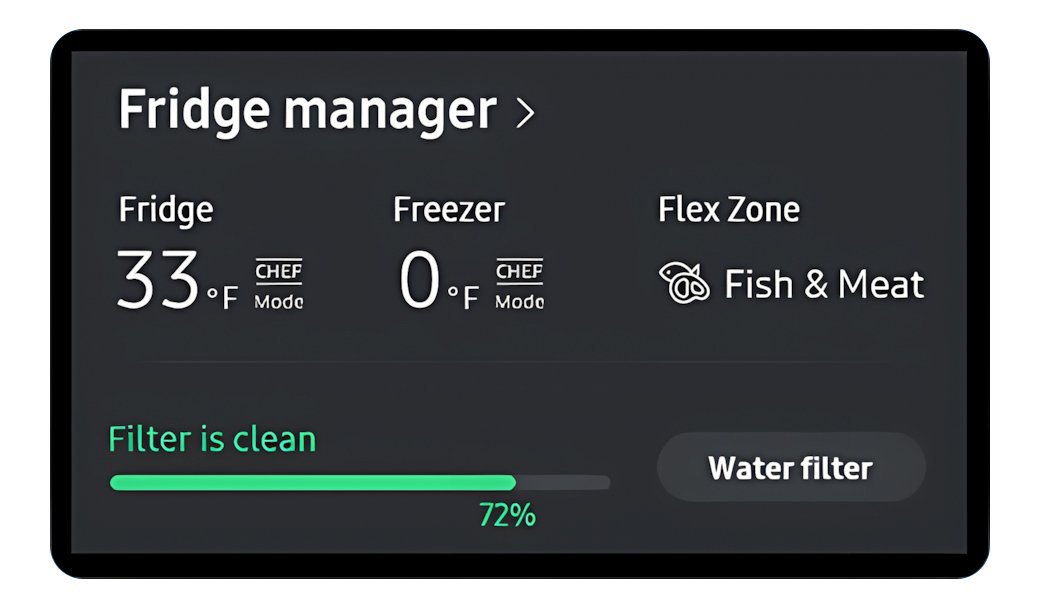
Check the water filter
A clogged or old water filter can restrict the flow of water required for the ice maker to function.
Remove the water filter
Repeat the 10-second water test
If water flow improves without the filter -> Replace the filter
Check if the main water supply valve is fully open
If there is no improvement -> Proceed to the next step
Did this solve your issue?
Select “No” for more help.
Still not dispensing ice?
We're sorry your refrigerator issue isn't resolved yet.
Explore more options below.
Check water dispensing and pressure
Low water pressure prevents the ice maker from filling properly or producing ice.
Dispense water into a measuring cup
Check if it fills 6 oz (¾ cup) in under 10 seconds
If no water comes out -> Check water line connection
If it fills too slowly -> Proceed to the next step
No dispenser to test > Proceed to the next step
Select “No” for more help.
Clear feeler arm obstructions
The ice maker may continue production if the feeler arm is physically propped up or stuck in the "up" position.
Remove any ice bits frozen onto the arm
Place the ice scoop in its holster away from the arm
No feeler arm > Proceed to the next step
Did this solve your issue?
Select “No” for more help.
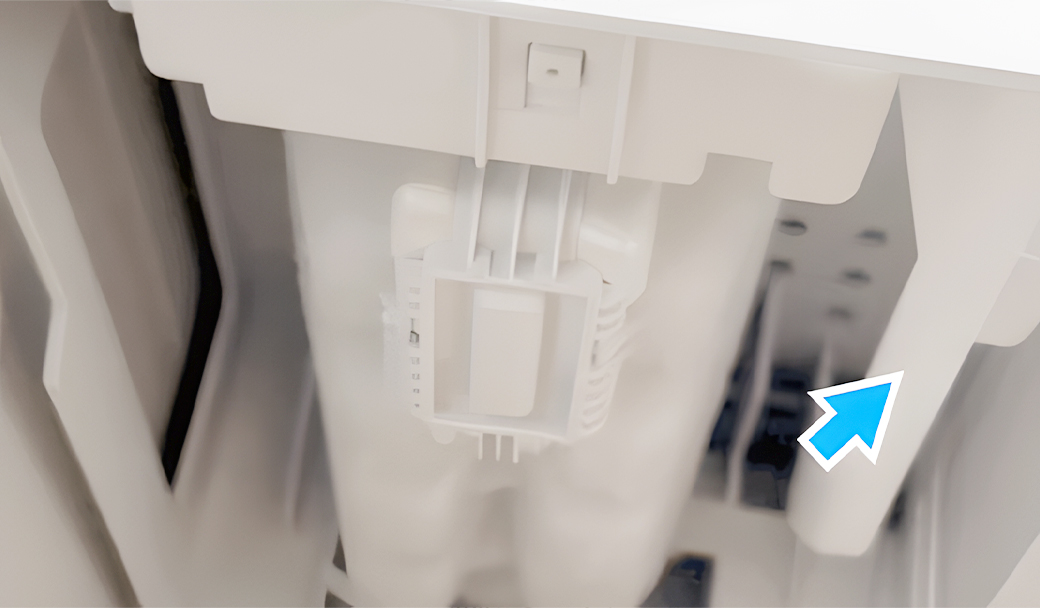
Still not making enough ice?
We're sorry your refrigerator issue isn't resolved yet.
Explore more options below.
Check for fused ice clumps
Ice cubes that have melted and refrozen into large clumps can jam the auger mechanism and prevent ice from reaching the dispenser.
Empty the ice bucket completely to remove fused ice blocks
Turn on the ice maker and wait about 3 hours for a new batch of ice
Try dispensing ice again
Did this solve your issue?
Select “No” for more help.
Shift ice forward in the bucket
Your ice maker may produce less ice if ice is piling up behind the ice maker.
Shift ice toward the front of the bucket
Dispense ice regularly to keep the bucket from reaching its 2-pound capacity
Did this solve your issue?
Select “No” for more help.
Reset the ice maker
The ice maker may require a manual reset to clear internal errors and restart the harvest cycle.
Remove the ice bucket
- (Newer models) Use the handle on the side
- (Older models) Lift up the ice maker cover
Press and hold the Test button until it chimes
Unplug or turn off the fridge for 2 minutes if no chime is heard
Turn power back on and reattach the ice bucket
Press the Test button again
Wait 3 hours, then check for ice
Did this solve your issue?
Select “No” for more help.
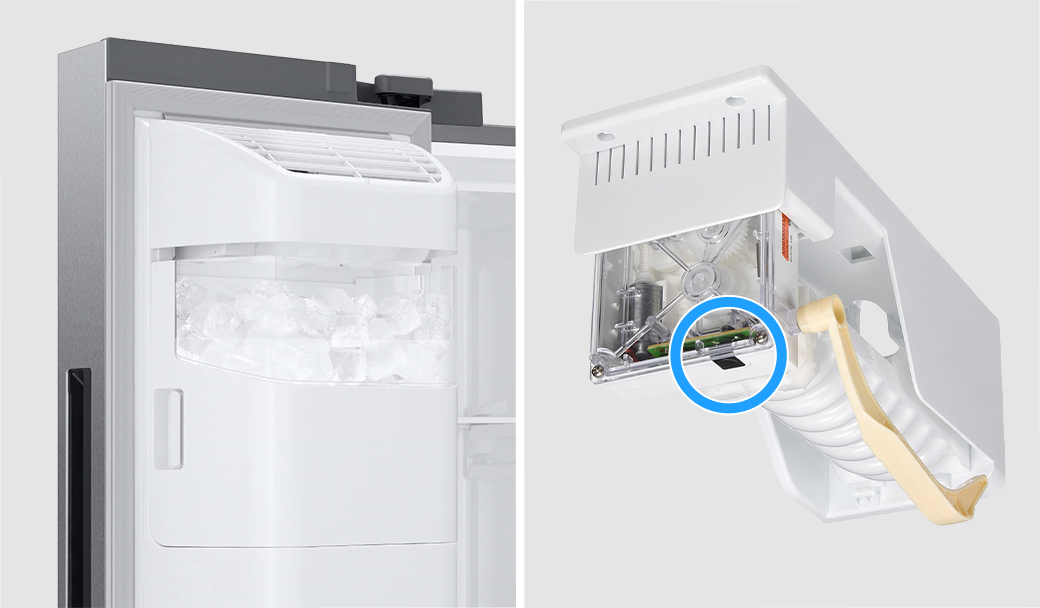
Check the freezer temperature
The freezer needs to be at 0°F or less in order to produce ice.
Set freezer to 0°F
Wait 3 hours
Check if ice is produced
* If the freezer is already set to 0°F or lower, proceed to the next step.
Did this solve your issue?
Select “No” for more help.
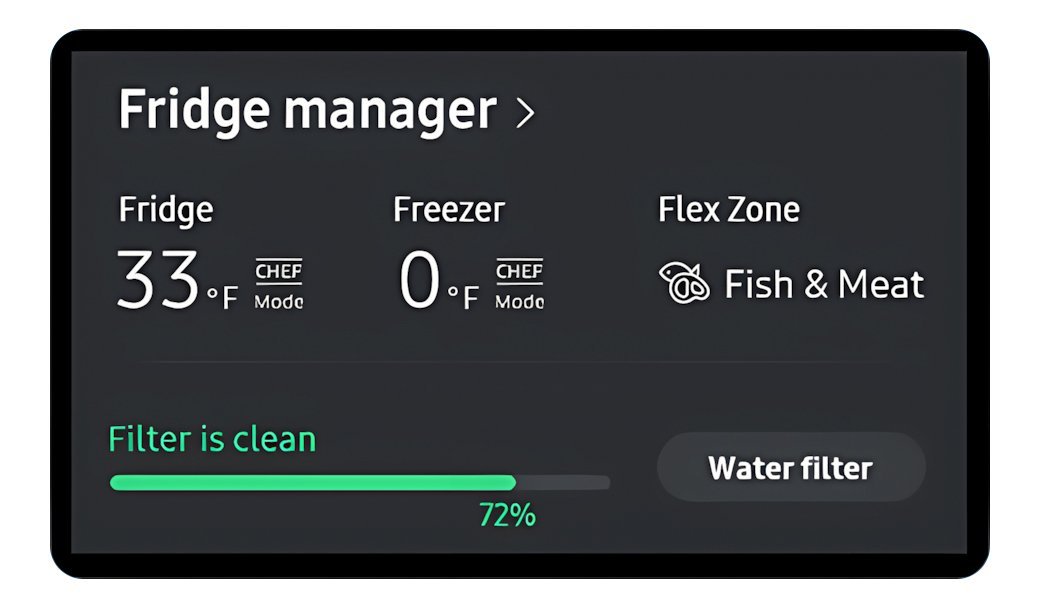
Still making too much ice?
We're sorry your refrigerator issue isn't resolved yet.
Explore more options below.
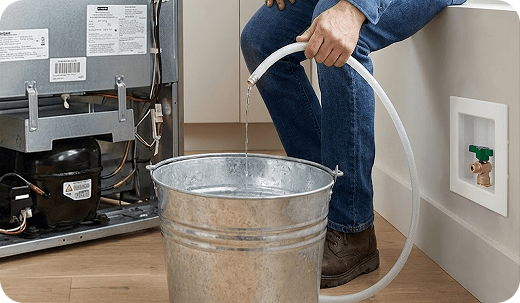
Clean the water supply line
Debris or mineral deposits within the home's water supply line can travel into the refrigerator, which often occurs after recent plumbing work in the home or neighborhood.
Flush the water line into a bucket
Wash the ice buckets to remove any transferred residue
Did this solve your issue?
Select “No” for more help.
Clean the water supply line
Debris or mineral deposits in the home’s water supply line can travel into the refrigerator, which often occurs after recent plumbing work in the home or neighborhood.
Flush the water line into a bucket
Wash the ice buckets to remove any transferred residue
Did this solve your issue?
Select “No” for more help.
Still getting contaminated ice?
We're sorry your refrigerator issue isn't resolved yet.
Explore more options below.
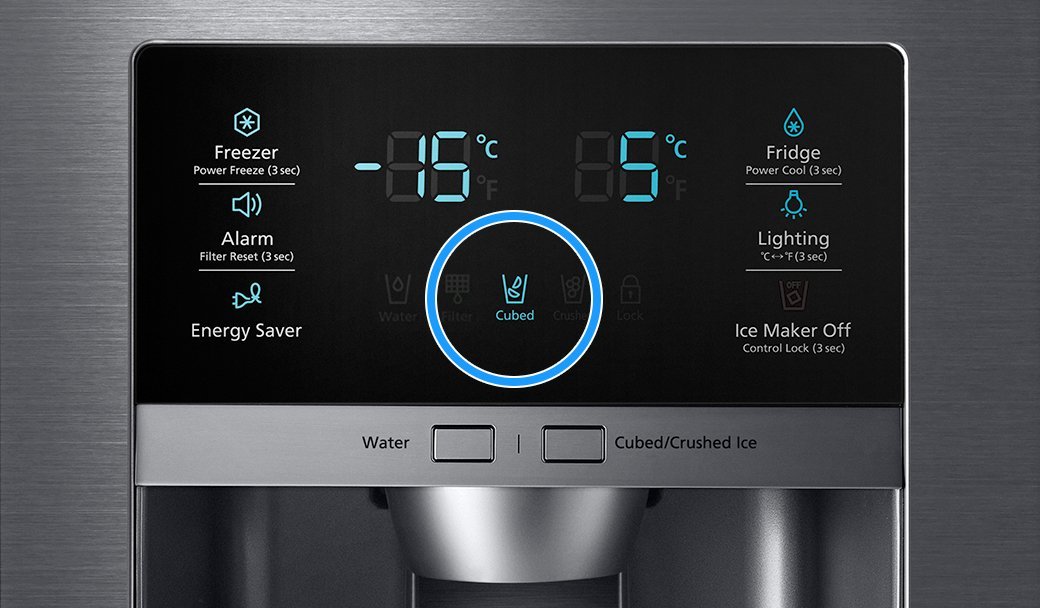
Select Ice instead of Water
Some models allow you to choose between water and different ice types. If water is selected by mistake, the dispenser may release water instead of ice.
Check the dispenser display and make sure Ice is selected
Select a different ice type if available
Try dispensing ice again
* If Ice is already selected and the dispenser still does not dispense ice, proceed to the next step.
Did this solve your issue?
Select “No” for more help.
Check door alignment and leveling
If there is a gap between the ice bucket and the ice chute, warm air will enter the ice maker compartment and cause frost.
Check front-to-back level
Adjust side-to-side level
Align door heights
Did this solve your issue?
Select “No” for more help.
What is your symptom?
Reset the ice maker
The ice maker may require a manual reset to clear internal errors and restart the harvest cycle.
Press the Test button until it chimes
Unplug or turn off the fridge for 2 minutes if no chime is heard
Turn power back on and press the Test button again.
Wait 3 hours, then check for ice
Did this solve your issue?
Select “No” for more help.
Reset the ice maker
The ice maker may require a manual reset to clear internal errors and restart the harvest cycle.
* Before starting, remove the lower ice tray and check for frost buildup (usually from a door left ajar) that blocks movement.
Press and hold the Test button until it chimes (or you hear the ice maker move)
- If there is no chime or ice maker response, turn off power to the unit for 2 minutes
- Turn the power back on and press the Test button againWatch the cycle run to ensure the arm moves, the tray twists, and you hear water filling
Wait 3 hours, then check for ice
Did this solve your issue?
Select “No” for more help.
Still not dispensing ice?
We're sorry your refrigerator issue isn't resolved yet.
Explore more options below.
Verify the ice maker is on
The Ice Maker On icon illuminates on the display panel to indicate that the ice making function has been activated.
Tap the Ice Maker button until Ice Maker On lights up
Wait 3 hours, then check for ice
* If the ice maker is already on, proceed to the next step.
Did this solve your issue?
Select “No” for more help.
Clean the water supply line
Debris or mineral deposits within the home's water supply line can travel into the refrigerator, which often occurs after recent plumbing work in the home or neighborhood.
Flush the water line into a bucket
Wash the ice buckets to remove any transferred residue
Did this solve your issue?
Select “No” for more help.
Clear the frost away
Frost can build up if moisture enters the freezer. Depending on the thickness, you must clear it to allow the sensors and seals to work correctly.
Light frost: Wipe away with a damp cloth and dry the area immediately with a second cloth
Medium frost: Gently remove the buildup with a plastic scraper, then wipe and dry the surface
Heavy frost: If the buildup is too thick to remove by hand, you will need to perform a
Did this solve your issue?
Select “No” for more help.
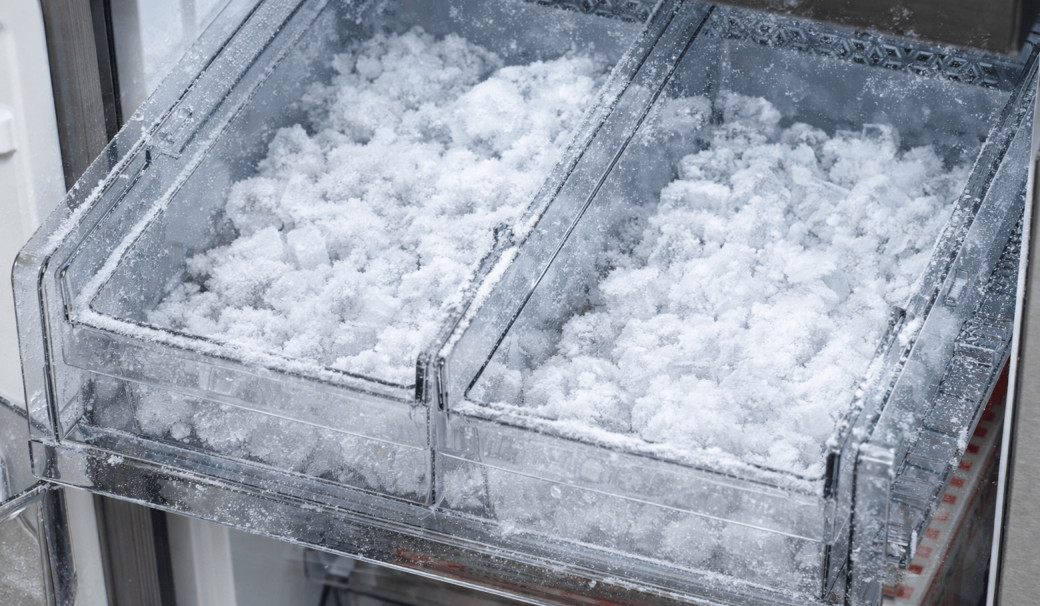
Check the water filter
A clogged or old water filter can restrict the flow of water required for the ice maker to function.
Remove the water filter
Repeat the 10-second water test
If water flow improves without the filter -> Replace the filter
Check if the main water supply valve is fully open
If there is no improvement -> Proceed to the next step
Select “No” for more help.
Check the IR (optical) sensor
The ice maker may fail to detect the correct ice level if the optical sensor is obstructed by frost, debris, or the ice scoop.
Remove the ice maker and wipe the sensor lens
Place the ice scoop away from the sensor's path
Did this solve your issue?
Select “No” for more help.
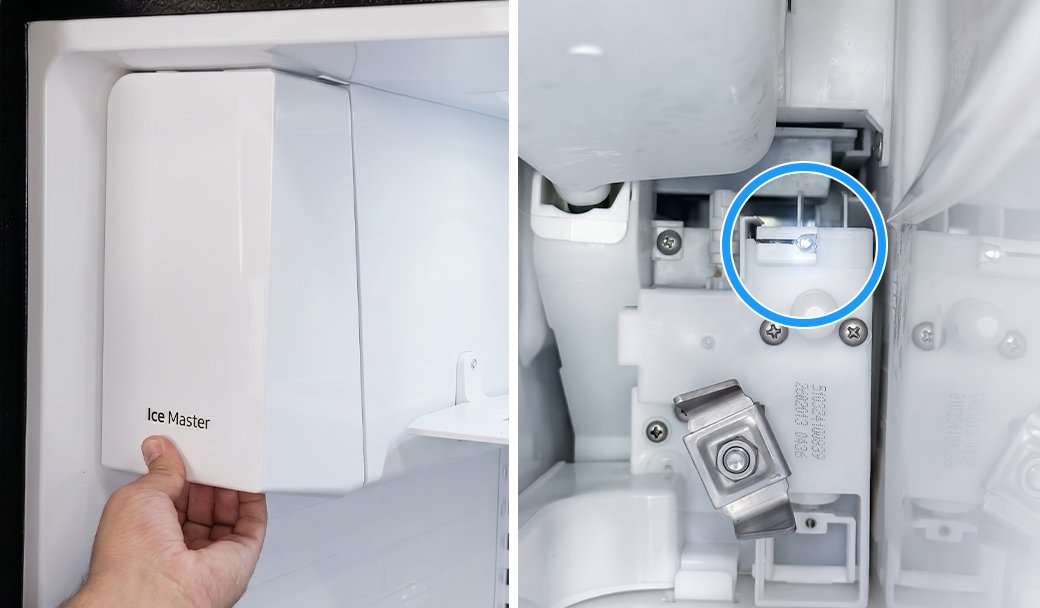
Check the water filter
A clogged or old water filter can restrict the flow of water required for the ice maker to function.
Remove the water filter
Repeat the 10-second water test
If water flow improves without the filter -> Replace the filter
Check if the main water supply valve is fully open
If there is no improvement -> Proceed to the next step
Did this solve your issue?
Select “No” for more help.
Check the freezer temperature
The freezer needs to be at 0°F or less in order to produce ice.
Set freezer to 0°F
Wait 3 hours
Check if ice is produced
Did this solve your issue?
Select “No” for more help.
Still making too much ice?
We're sorry your refrigerator issue isn't resolved yet.
Explore more options below.
Shift ice forward in the bucket
Your ice maker may produce less ice if ice is piling up behind the ice maker.
Shift ice toward the front of the bucket
Dispense ice regularly to keep the bucket from reaching its 2-pound capacity
Did this solve your issue?
Select “No” for more help.
Check the water filter
A clogged or old water filter can restrict the flow of water required for the ice maker to function.
Remove the water filter
Repeat the 10-second water test
If water flow improves without the filter -> Replace the filter
Check if the main water supply valve is fully open
If there is no improvement -> Proceed to the next step
Did this solve your issue?
Select “No” for more help.
Clear the Ice Bucket Opening
Residual ice shards or frost can accumulate around the bucket's discharge port, creating a physical blockage that prevents ice from falling into the dispenser.
Empty the ice bucket completely
Run warm water through the opening to melt any buildup
Dry the bucket and opening thoroughly before reinstalling
Reinstall the ice bucket and try dispensing ice again
Did this solve your issue?
Select “No” for more help.
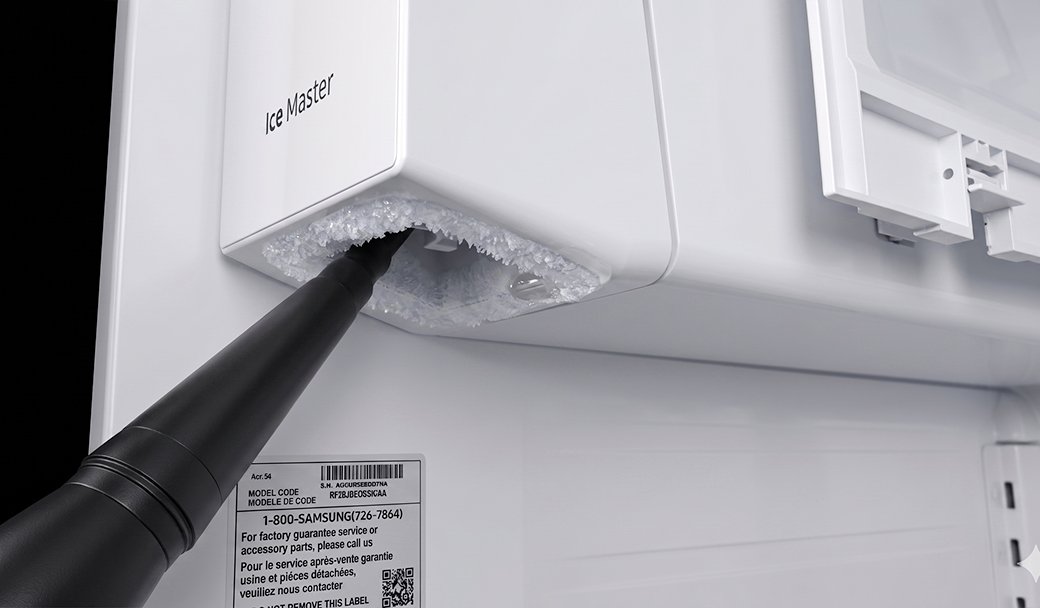
Check the water filter
A clogged or old water filter can restrict the flow of water required for the ice maker to function.
Remove the water filter
Repeat the 10-second water test
If water flow improves without the filter -> Replace the filter
Check if the main water supply valve is fully open
If there is no improvement -> Proceed to the next step
Did this solve your issue?
Select “No” for more help.
Check the ice bucket for ice to dispense
If the ice bucket is empty, the dispenser may release water instead of ice.
Check the ice bucket for ice to dispense
If the bucket is empty, turn on the ice maker
Wait 3 hours, then check for ice
Try dispensing ice again
* If there is already ice in the ice bucket and the dispenser still dispense water instead of ice, proceed to the next step.
Did this solve your issue?
Select “No” for more help.
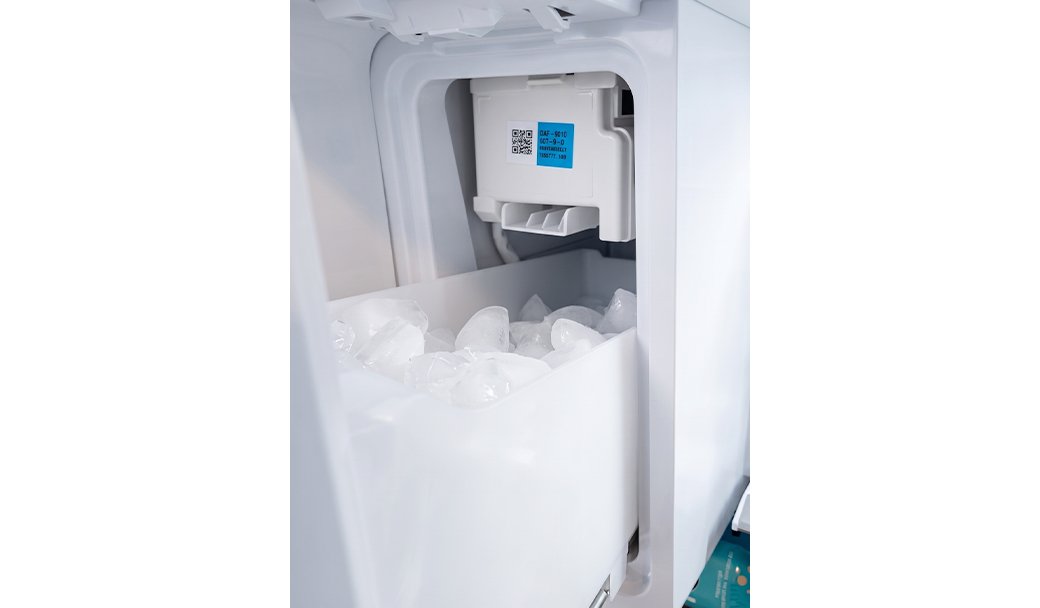
Reset the ice maker
The ice maker may require a manual reset to clear internal errors and restart the harvest cycle.
* Before starting, remove the lower ice tray and check for frost buildup (usually from a door left ajar) that blocks movement.
Press and hold the Test button until it chimes (or you hear the ice maker move)
- If there is no chime or ice maker response, turn off power to the unit for 2 minutes
- Turn the power back on and press the Test button againWatch the cycle run to ensure the arm moves, the tray twists, and you hear water filling
Wait 3 hours, then check for ice
Did this solve your issue?
Select “No” for more help.
Check the IR (optical) sensor
The ice maker may fail to detect the correct ice level if the optical sensor is obstructed by frost, debris, or the ice scoop.
Wipe the sensor lens
Place the ice scoop away from the sensor's path
Did this solve your issue?
Select “No” for more help.
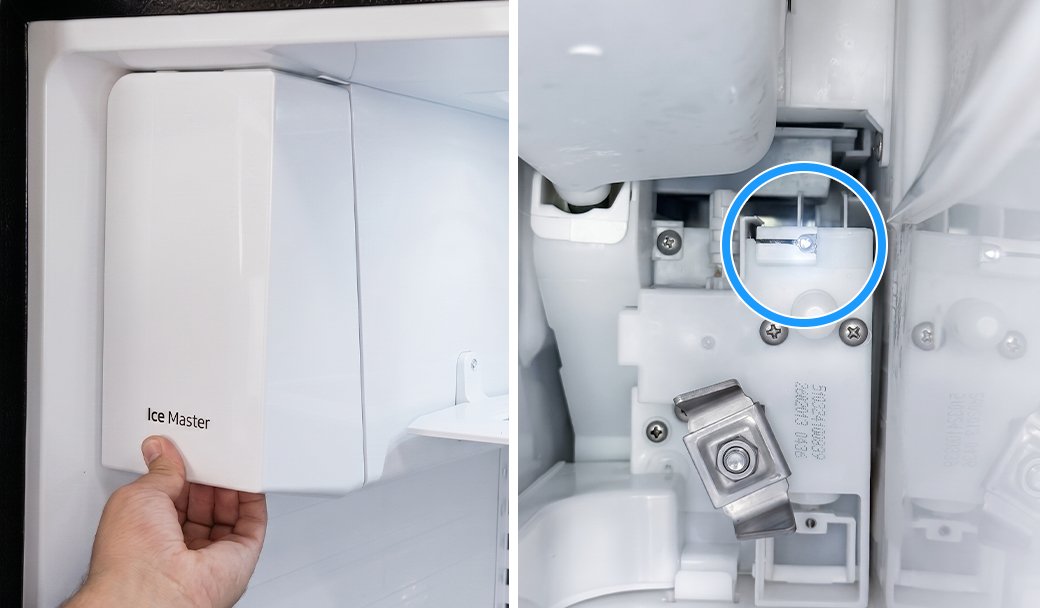
What is your symptom?
Check your ice bucket position
The ice maker may overproduce ice if the bucket is positioned too low for the pile to trigger the optical sensor or mechanical arm.
Locate the ice bucket shelf directly under the ice maker
Mount the shelf on the highest rail position
Confirm the shelf is seated on the rail (not hanging below it)
* If the ice bucket is already in the correct position, proceed to the next step.
Did this solve your issue?
Select “No” for more help.

Clear the Ice Bucket Opening
Residual ice shards or frost can accumulate around the bucket's discharge port, creating a physical blockage that prevents ice from falling into the dispenser.
Empty the ice bucket completely
Run warm water through the opening to melt any buildup
Dry the bucket and opening thoroughly before reinstalling
Reinstall the ice bucket and try dispensing ice again
Did this solve your issue?
Select “No” for more help.
Replace the water filter
An expired or non-genuine water filter can fail to remove impurities or may release carbon flecks into the ice.
Replace the filter with a genuine Samsung filter
Discard the first 2-3 batches of ice
Replace the filter every six months
Did this solve your issue?
Select “No” for more help.
Reconnect the wiring harness
A loose or improperly connected wiring harness at the top of the door can cause the dispenser to malfunction and release water instead of ice.
Remove the hinge cover
Unplug and firmly reseat the harness
Reattach the door hinge cover
If no wiring harness > Proceed to the next step
Did this solve your issue?
Select “No” for more help.
Verify the ice maker is on
The Ice Maker On icon illuminates on the display panel to indicate that the ice making function has been activated.
Tap the Ice Maker button until Ice Maker On lights up
Wait 3 hours, then check for ice
Did this solve your issue?
Select “No” for more help.
What is your symptom?
Check the IR (optical) sensor
The ice maker may fail to detect the correct ice level if the optical sensor is obstructed by frost, debris, or the ice scoop.
Wipe the sensor lens
Place the ice scoop away from the sensor's path
Did this solve your issue?
Select “No” for more help.
Check your ice bucket position
The ice maker may overproduce ice if the bucket is positioned too low for the pile to trigger the optical sensor or mechanical arm.
Locate the ice bucket shelf directly under the ice maker
Mount the shelf on the highest rail position
Confirm the shelf is seated on the rail (not hanging below it)
Did this solve your issue?
Select “No” for more help.
Clear the frost away
Frost can build up if moisture enters the freezer. Depending on the thickness, you must clear it to allow the sensors and seals to work correctly.
Light frost: Wipe away with a damp cloth and dry the area immediately with a second cloth
Medium frost: Gently remove the buildup with a plastic scraper, then wipe and dry the surface
Heavy frost: If the buildup is too thick to remove by hand, you will need to perform a
Did this solve your issue?
Select “No” for more help.
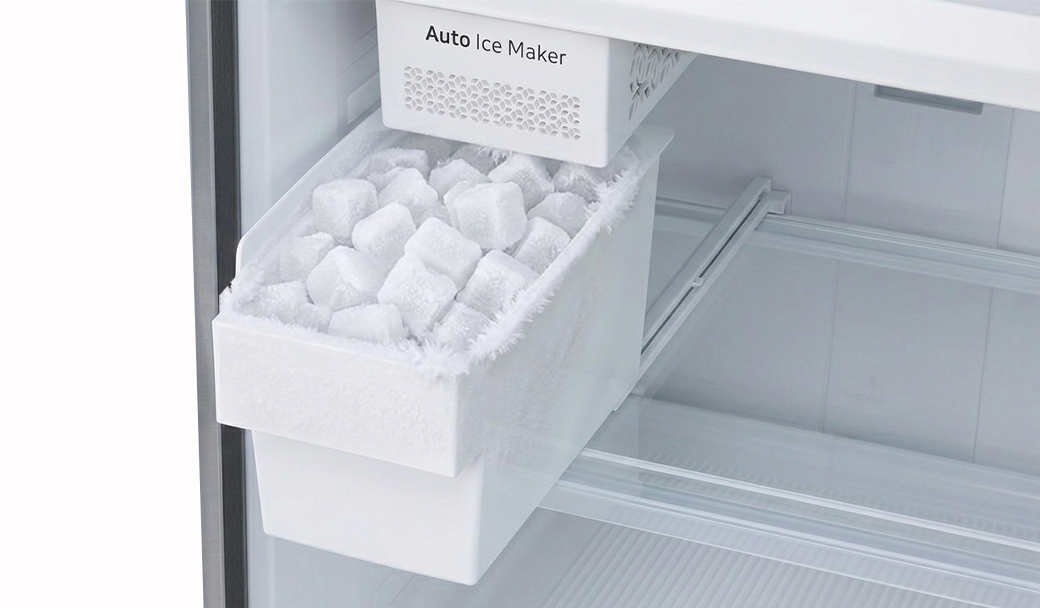
Shift ice forward in the bucket
Your ice maker may produce less ice if ice is piling up behind the ice maker.
Shift ice toward the front of the bucket
Dispense ice regularly to keep the bucket from reaching its 2-pound capacity
Select “No” for more help.
Still getting contaminated ice?
We're sorry your refrigerator issue isn't resolved yet.
Explore more options below.
What is your symptom?
Clear the frost away
Frost can build up if moisture enters the freezer. Depending on the thickness, you must clear it to allow the sensors and seals to work correctly.
Light frost: Wipe away with a damp cloth and dry the area immediately with a second cloth
Medium frost: Gently remove the buildup with a plastic scraper, then wipe and dry the surface
Heavy frost: If the buildup is too thick to remove by hand, you will need to perform a
Did this solve your issue?
Select “No” for more help.
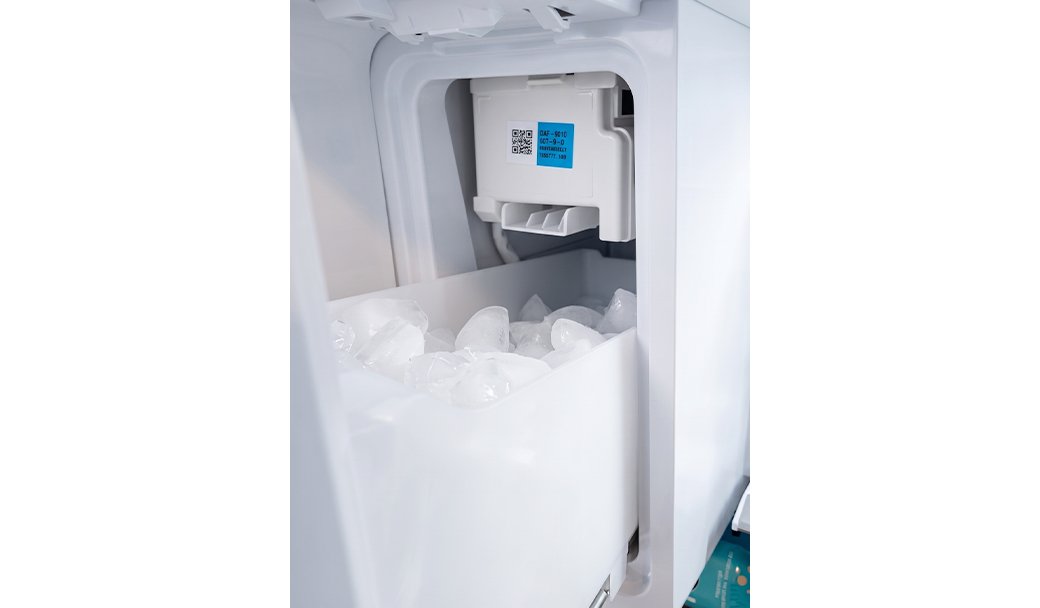
Reset the ice maker
The ice maker may require a manual reset to clear internal errors and restart the harvest cycle.
Remove the ice maker
- (Newer models) Use the handle on the side
- (Older models) Lift up the ice maker cover
Press and hold the Test button until it chimes
Unplug or turn off the fridge for 2 minutes if no chime is heard
Turn power back on and reattach the ice bucket
Press the Test button again
Wait 3 hours, then check for ice
Did this solve your issue?
Select “No” for more help.
Check water dispensing and pressure
Low water pressure prevents the ice maker from filling properly or producing ice.
Dispense water into a measuring cup
Check if it fills 6 oz (¾ cup) in under 10 seconds
If no water comes out -> Check water line connection
If it fills too slowly -> Proceed to the next step
No dispenser to test > Proceed to the next step
Did this solve your issue?
Select “No” for more help.
Check water dispensing and pressure
Low water pressure prevents the ice maker from filling properly or producing ice.
Dispense water into a measuring cup
Check if it fills 6 oz (¾ cup) in under 10 seconds
If no water comes out -> Check water line connection
If it fills too slowly -> Proceed to the next step
No dispenser to test > Proceed to the next step
Did this solve your issue?
Select “No” for more help.
Still dispensing water instead of ice?
We're sorry your refrigerator issue isn't resolved yet.
Explore more options below.
Reset the ice maker
The ice maker may require a manual reset to clear internal errors and restart the harvest cycle.
* Before starting, remove the lower ice tray and check for frost buildup (usually from a door left ajar) that blocks movement.
Press and hold the Test button until it chimes (or you hear the ice maker move)
- If there is no chime or ice maker response, turn off power to the unit for 2 minutes
- Turn the power back on and press the Test button againWatch the cycle run to ensure the arm moves, the tray twists, and you hear water filling
Wait 3 hours, then check for ice
Did this solve your issue?
Select “No” for more help.
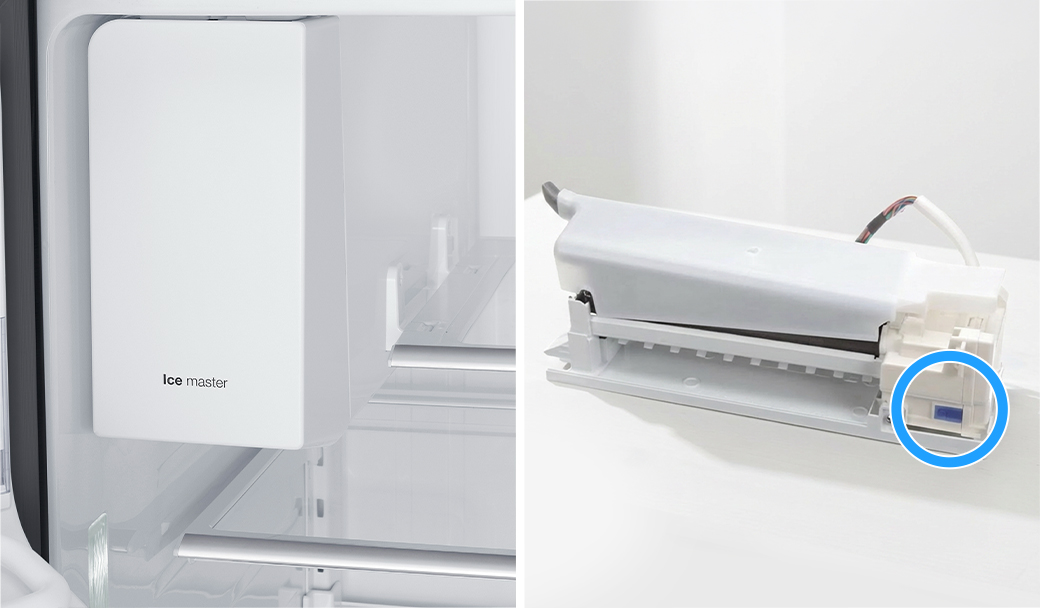
Reconnect the wiring harness
A loose or improperly connected wiring harness at the top of the door can cause the dispenser to malfunction and release water instead of ice.
Remove the hinge cover
Unplug and firmly reseat the harness
Reattach the door hinge cover
If no wiring harness > Proceed to the next step
Did this solve your issue?
Select “No” for more help.
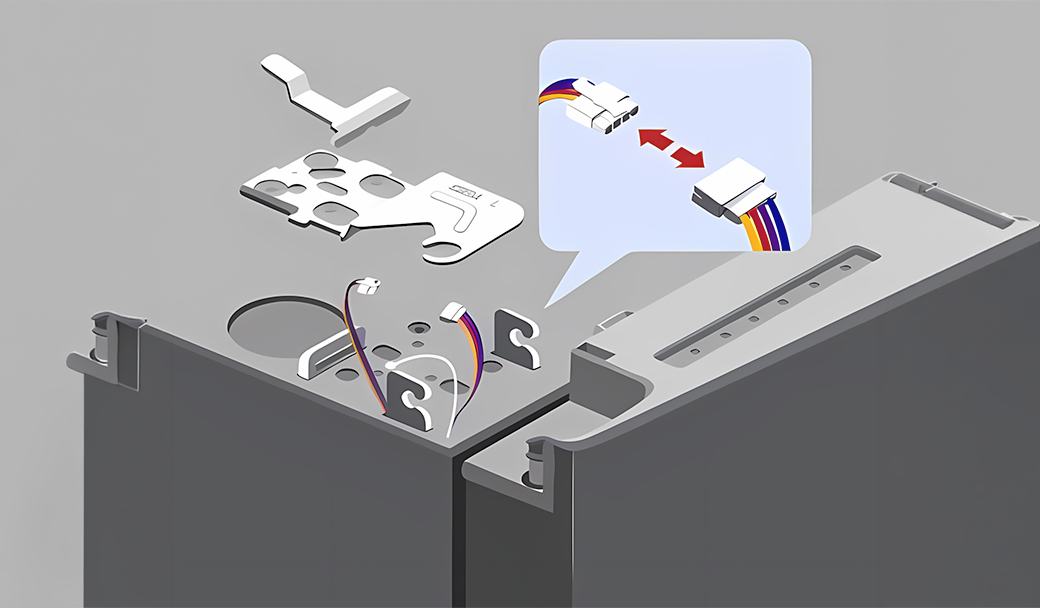
Check water dispensing and pressure
Low water pressure prevents the ice maker from filling properly or producing ice.
Dispense water into a measuring cup
Check if it fills 6 oz (¾ cup) in under 10 seconds
If no water comes out -> Check water line connection
If it fills too slowly -> Proceed to the next step
No dispenser to test > Proceed to the next step
Did this solve your issue?
Select “No” for more help.
Check the water filter
A clogged or old water filter can restrict the flow of water required for the ice maker to function.
Remove the water filter
Repeat the 10-second water test
If water flow improves without the filter -> Replace the filter
Check if the main water supply valve is fully open
If there is no improvement -> Proceed to the next step
Did this solve your issue?
Select “No” for more help.
Shift ice forward in the bucket
Your ice maker may produce less ice if ice is piling up behind the ice maker.
Shift ice toward the front of the bucket
Dispense ice regularly to keep the bucket from reaching its 2-pound capacity
Did this solve your issue?
Select “No” for more help.
Check your ice bucket position
The ice maker may overproduce ice if the bucket is positioned too low for the pile to trigger the optical sensor or mechanical arm.
Locate the ice bucket shelf directly under the ice maker
Mount the shelf on the highest rail position
Confirm the shelf is seated on the rail (not hanging below it)
* If the ice bucket is already in the correct position, proceed to the next step.
Did this solve your issue?
Select “No” for more help.
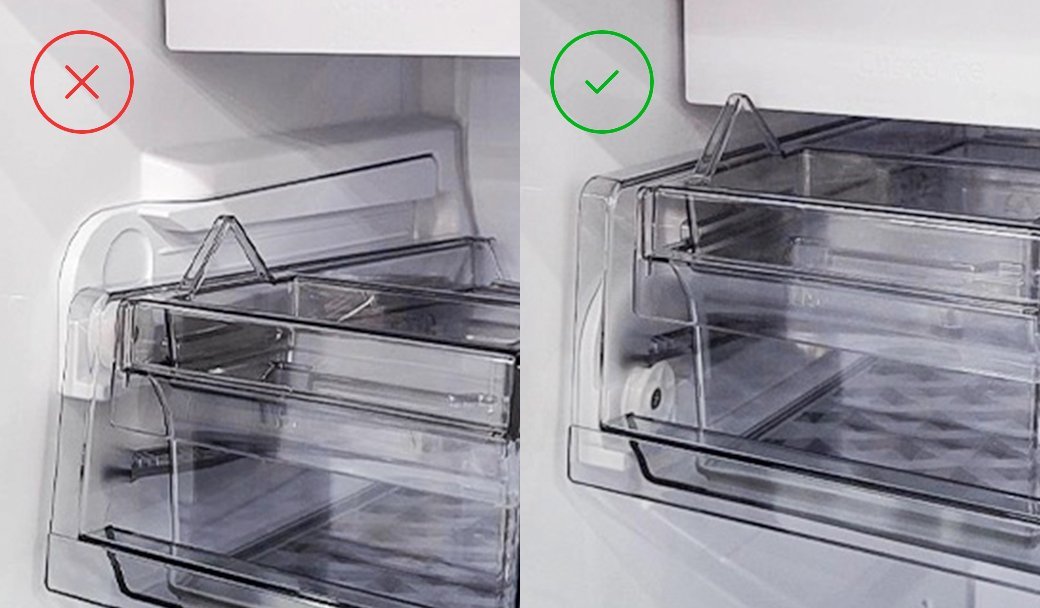
Still seeing frost?
We're sorry your refrigerator issue isn't resolved yet.
Explore more options below.
Check for fused ice clumps
Ice cubes that have melted and refrozen into large clumps can jam the auger mechanism and prevent ice from reaching the dispenser.
Empty the ice bucket completely to remove fused ice blocks
Turn on the ice maker and wait about 3 hours for a new batch of ice
Try dispensing ice again
Did this solve your issue?
Select “No” for more help.
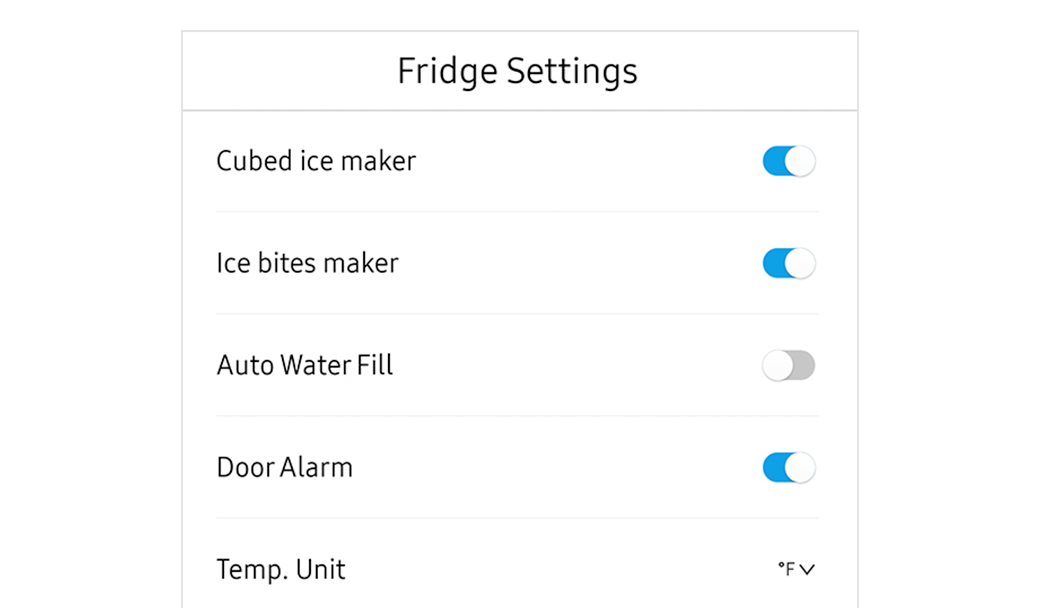
Verify the ice maker is on
The ice maker can be turned on or off in Fridge Settings. If it is turned off, the refrigerator will not produce ice.
Open Fridge Settings on the Family Hub display.
Turn on the available ice maker options (such as Cubed or Ice Bites).
Wait about 3 hours, then check for ice.
* If the ice maker is already on, proceed to the next step.
Did this solve your issue?
Select “No” for more help.
Replace the water filter
An expired or non-genuine water filter can fail to remove impurities or may release carbon flecks into the ice.
Replace the filter with a genuine Samsung filter
Discard the first 2-3 batches of ice
Replace the filter every six months
Did this solve your issue?
Select “No” for more help.
Still seeing frost forming?
We're sorry your refrigerator issue isn't resolved yet.
Explore more options below.
Still not making enough ice?
We're sorry your refrigerator issue isn't resolved yet.
Explore more options below.
Check water dispensing and pressure
Low water pressure prevents the ice maker from filling properly or producing ice.
Dispense water into a measuring cup
Check if it fills 6 oz (¾ cup) in under 10 seconds
If no water comes out -> Check water line connection
If it fills too slowly -> Proceed to the next step
No dispenser to test > Proceed to the next step
Select “No” for more help.
Check the water filter
A clogged or old water filter can restrict the flow of water required for the ice maker to function.
Remove the water filter
Repeat the 10-second water test
If water flow improves without the filter -> Replace the filter
Check if the main water supply valve is fully open
If there is no improvement -> Proceed to the next step
Did this solve your issue?
Select “No” for more help.
Still making too much ice?
We're sorry your refrigerator issue isn't resolved yet.
Explore more options below.
Check door alignment and leveling
If there is a gap between the ice bucket and the ice chute, warm air will enter the ice maker compartment and cause frost.
Check front-to-back level
Adjust side-to-side level
Align door heights
Did this solve your issue?
Select “No” for more help.
What is your symptom?
Inspect the door and ice bucket seals
Gaps in the rubber seals allow warm, moist air to enter the freezer and turn into frost.
Clean the rubber door gaskets with warm soapy water
Remove any debris from the ice bucket seal
Replace the ice bucket if the integrated seal is damaged
* If the seals are already clean and undamaged, proceed to the next step.
Did this solve your issue?
Select “No” for more help.
Check door alignment and leveling
If there is a gap between the ice bucket and the ice chute, warm air will enter the ice maker compartment and cause frost.
Check front-to-back level
Adjust side-to-side level
Align door heights
Did this solve your issue?
Select “No” for more help.
Where are you having issues?
Check the water filter
A clogged or old water filter can restrict the flow of water required for the ice maker to function.
Remove the water filter
Repeat the 10-second water test
If water flow improves without the filter -> Replace the filter
Check if the main water supply valve is fully open
If there is no improvement -> Proceed to the next step
Did this solve your issue?
Select “No” for more help.
Still not making ice?
We're sorry your refrigerator issue isn't resolved yet.
Explore more options below.
Clean the water supply line
Debris or mineral deposits in the home’s water supply line can travel into the refrigerator, which often occurs after recent plumbing work in the home or neighborhood.
Flush the water line into a bucket
Wash the ice buckets to remove any transferred residue
Did this solve your issue?
Select “No” for more help.
Discard a few batches of ice
New installations or periods of inactivity can cause stale water to settle in the lines, while new filters may leave trace carbon in the water, presenting black flakes in the cubes.
Discard the first 2 or 3 full buckets of ice from both bins
Repeat this process if the ice quality continues to improve
Did this solve your issue?
Select “No” for more help.
Discard a few batches of ice
New installations or periods of inactivity can cause dust, air, or stale water to settle in the lines.
Discard the first 2 or 3 full buckets of ice from both bins
Repeat this process if the ice quality continues to improve
Did this solve your issue?
Select “No” for more help.
Check the water filter
A clogged or old water filter can restrict the flow of water required for the ice maker to function.
Remove the water filter
Repeat the 10-second water test
If water flow improves without the filter -> Replace the filter
Check if the main water supply valve is fully open
If there is no improvement -> Proceed to the next step
Did this solve your issue?
Select “No” for more help.
Verify the ice maker is on
The Ice Maker On icon illuminates on the display panel to indicate that the ice making function has been activated.
Tap the Ice Maker button until Ice Maker On lights up
Wait 3 hours, then check for ice
Did this solve your issue?
Select “No” for more help.
Check water dispensing and pressure
Low water pressure prevents the ice maker from filling properly or producing ice.
Dispense water into a measuring cup
Check if it fills 6 oz (¾ cup) in under 10 seconds
If no water comes out -> Check water line connection
If it fills too slowly -> Proceed to the next step
No dispenser to test > Proceed to the next step
Did this solve your issue?
Select “No” for more help.
Still not making ice?
We're sorry your refrigerator issue isn't resolved yet.
Explore more options below.
Check the ice bucket
Remove the ice bucket
Clear any ice buildup
Reinstall it properly so it clicks into place
Did this solve your issue?
Select “No” for more help.
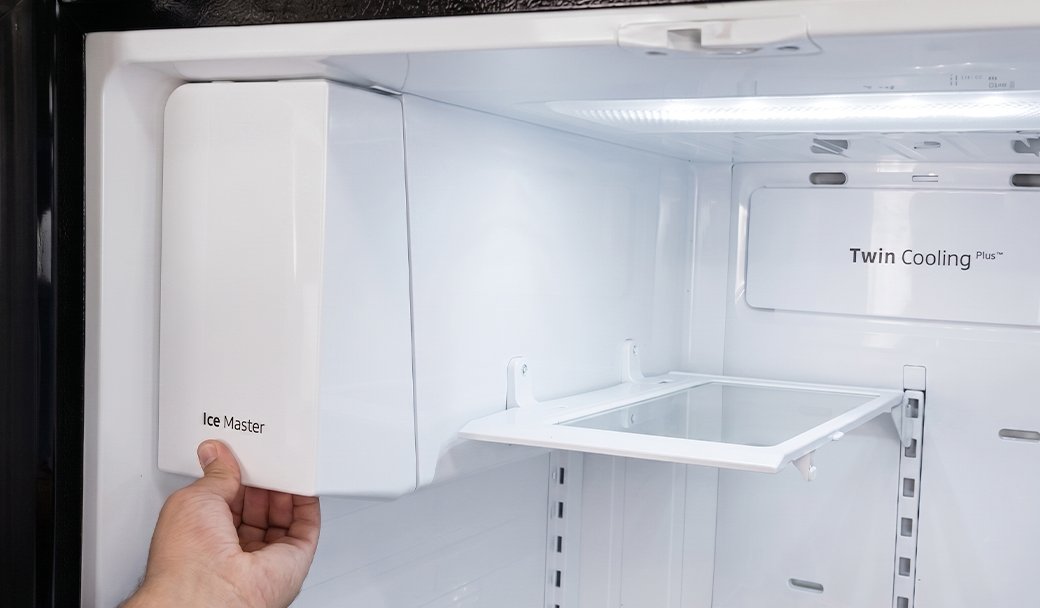
Inspect the door and ice bucket seals
Gaps in the rubber seals allow warm, moist air to enter the freezer and turn into frost.
Clean the rubber door gaskets with warm soapy water
Remove any debris from the ice bucket seal
Replace the ice bucket if the integrated seal is damaged
* If the seals are already clean and undamaged, proceed to the next step.
Did this solve your issue?
Select “No” for more help.
Check the water filter
A clogged or old water filter can restrict the flow of water required for the ice maker to function.
Remove the water filter
Repeat the 10-second water test
If water flow improves without the filter -> Replace the filter
Check if the main water supply valve is fully open
If there is no improvement -> Proceed to the next step
Select “No” for more help.
Still seeing frost forming?
We're sorry your refrigerator issue isn't resolved yet.
Explore more options below.
Check the IR (optical) sensor
The ice maker may fail to detect the correct ice level if the optical sensor is obstructed by frost, debris, or the ice scoop.
Remove the ice maker and wipe the sensor lens
Place the ice scoop away from the sensor's path
Did this solve your issue?
Select “No” for more help.
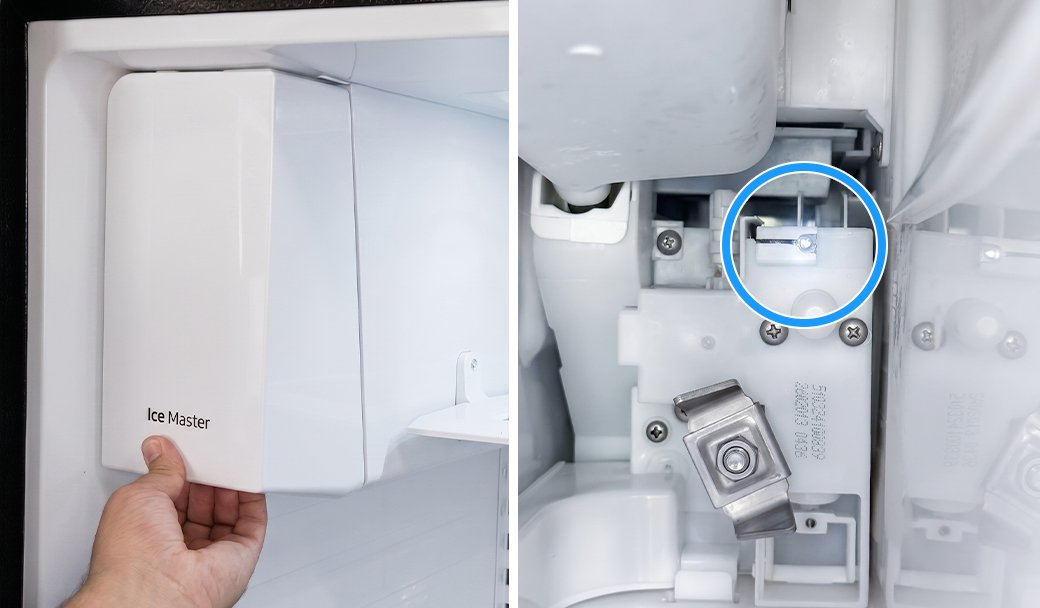
Perform a power reset
A software glitch in the control board can cause it to send voltage to the water valve and ice motor at the same time.
Unplug the refrigerator for 60 seconds
Plug the unit back in to reboot the system
Did this solve your issue?
Select “No” for more help.
Where are you having issues?
Check water dispensing and pressure
Low water pressure prevents the ice maker from filling properly or producing ice.
Dispense water into a measuring cup
Check if it fills 6 oz (¾ cup) in under 10 seconds
If no water comes out -> Check water line connection
If it fills too slowly -> Proceed to the next step
No dispenser to test > Proceed to the next step
Select “No” for more help.
Still seeing frost?
We're sorry your refrigerator issue isn't resolved yet.
Explore more options below.
Glad we could assist!
Enjoy your Samsung Refrigerator experience.
Do you need help with anything else?
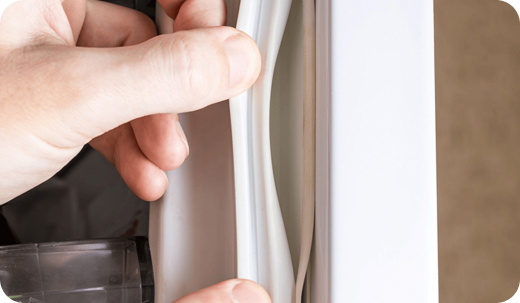
Inspect the door and ice bucket seals
Gaps in the rubber seals allow warm, moist air into the freezer and turn into frost.
Clean the rubber door gaskets with warm soapy water
Remove any debris from the ice bucket seal
Replace the ice bucket if the integrated seal is damaged
* If the seals are already clean and undamaged, proceed to the next step.
Did this solve your issue?
Select “No” for more help.
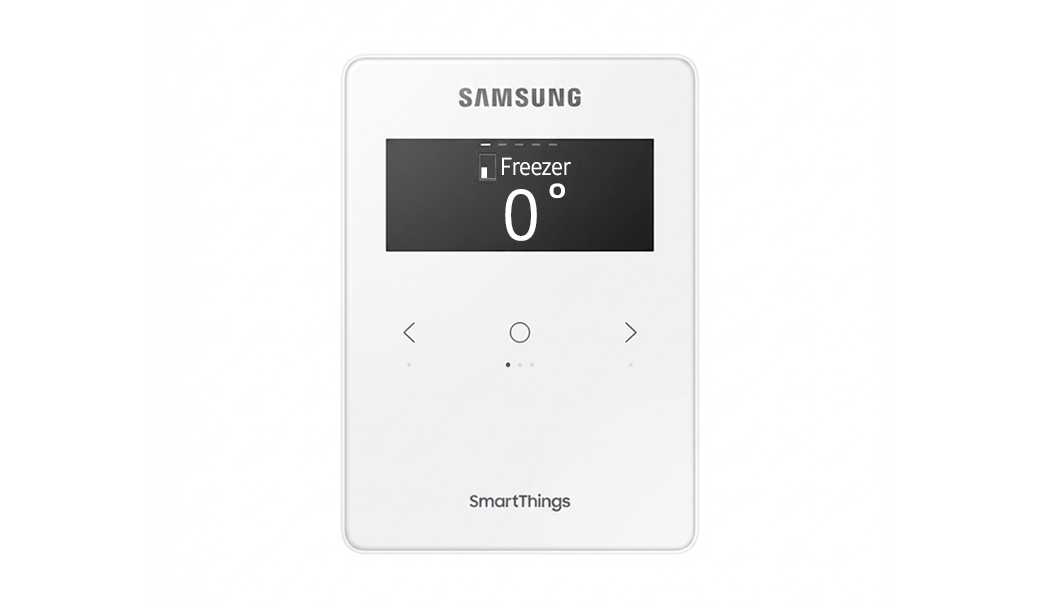
Check the freezer temperature
The freezer needs to be at 0°F or less in order to produce ice.
Set freezer to 0°F
Wait 3 hours
Check if ice is produced
* If the freezer is already set to 0°F or lower, proceed to the next step.
Did this solve your issue?
Select “No” for more help.
Where are you having issues?
Check water dispensing and pressure
Low water pressure prevents the ice maker from filling properly or producing ice.
Dispense water into a measuring cup
Check if it fills 6 oz (¾ cup) in under 10 seconds
If no water comes out -> Check water line connection
If it fills too slowly -> Proceed to the next step
No dispenser to test > Proceed to the next step
Did this solve your issue?
Select “No” for more help.
Discard a few batches of ice
New installations or periods of inactivity can cause dust, air, or stale water to settle in the lines.
Discard the first 2 or 3 full buckets of ice from both bins
Repeat this process if the ice quality continues to improve
Did this solve your issue?
Select “No” for more help.
Check the water filter
A clogged or old water filter can restrict the flow of water required for the ice maker to function.
Remove the water filter
Repeat the 10-second water test
If water flow improves without the filter -> Replace the filter
Check if the main water supply valve is fully open
If there is no improvement -> Proceed to the next step
Did this solve your issue?
Select “No” for more help.
Glad we could assist!
Enjoy your Samsung Refrigerator experience.
Do you need help with anything else?
Still not making enough ice?
We're sorry your refrigerator issue isn't resolved yet.
Explore more options below.
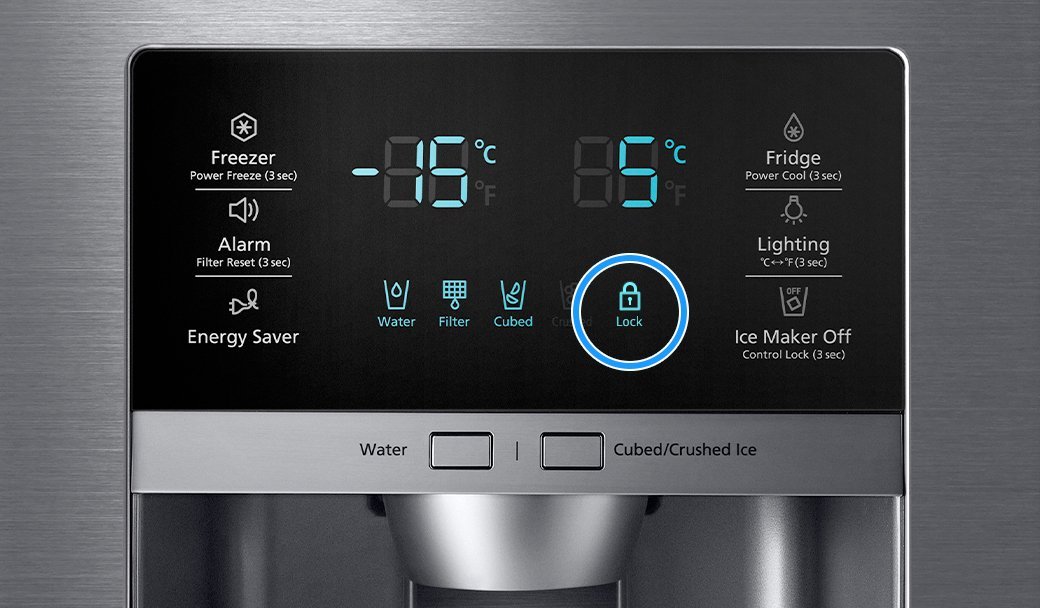
Check if Child Lock or Dispenser Lock is enabled
The Child Lock or Dispenser Lock feature electronically disables the panel and dispenser, which is typically indicated by a lit or flashing padlock icon.
Turn off the lock feature to restore power to the dispenser and buttons.
* If Child Lock or Dispenser Lock is already turned off, proceed to the next step.
Did this solve your issue?
Select “No” for more help.
Check water dispensing and pressure
Low water pressure prevents the ice maker from filling properly or producing ice.
Dispense water into a measuring cup
Check if it fills 6 oz (¾ cup) in under 10 seconds
If no water comes out -> Check water line connection
If it fills too slowly -> Proceed to the next step
No dispenser to test > Proceed to the next step
Did this solve your issue?
Select “No” for more help.
Reset the ice maker
The ice maker may require a manual reset to clear internal errors and restart the harvest cycle.
* Before starting, remove the lower ice tray and check for frost buildup (usually from a door left ajar) that blocks movement.
Press and hold the Test button until it chimes (or you hear the ice maker move)
- If there is no chime or ice maker response, turn off power to the unit for 2 minutes
- Turn the power back on and press the Test button againWatch the cycle run to ensure the arm moves, the tray twists, and you hear water filling
Wait 3 hours, then check for ice
Did this solve your issue?
Select “No” for more help.
Still dispensing ice and water together?
We're sorry your refrigerator issue isn't resolved yet.
Explore more options below.
Replace the water filter
An expired or non-genuine water filter can fail to remove impurities or may release carbon flecks into the ice.
Replace the filter with a genuine Samsung filter
Discard the first 2-3 batches of ice
Replace the filter every six months
Did this solve your issue?
Select “No” for more help.
Check water dispensing and pressure
Low water pressure prevents the ice maker from filling properly or producing ice.
Dispense water into a measuring cup
Check if it fills 6 oz (¾ cup) in under 10 seconds
If no water comes out -> Check water line connection
If it fills too slowly -> Proceed to the next step
No dispenser to test > Proceed to the next step
Did this solve your issue?
Select “No” for more help.
Replace the water filter
An expired or non-genuine water filter can fail to remove impurities or may release carbon flecks into the ice.
Replace the filter with a genuine Samsung filter
Discard the first 2-3 batches of ice
Replace the filter every six months
Did this solve your issue?
Select “No” for more help.
Inspect the door and ice bucket seals
Gaps in the rubber seals allow warm, moist air into the freezer and turn into frost.
Clean the rubber door gaskets with warm soapy water
Remove any debris from the ice bucket seal
Replace the ice bucket if the integrated seal is damaged
* If the seals are already clean and undamaged, proceed to the next step.
Did this solve your issue?
Select “No” for more help.
What is your symptom?
Still dispensing ice and water together?
We're sorry your refrigerator issue isn't resolved yet.
Explore more options below.
Replace the water filter
An expired or non-genuine water filter can fail to remove impurities or may release carbon flecks into the ice.
Replace the filter with a genuine Samsung filter
Discard the first 2-3 batches of ice
Replace the filter every six months
Did this solve your issue?
Select “No” for more help.
Ensure the ice bucket is installed correctly
If the ice bucket is installed incorrectly, the ice may not reach the sensor arm properly, causing the ice maker to continue producing ice even when the bucket is full.
Make sure the front of the ice bucket faces forward.
Ensure the left side of the ice bucket is positioned as designed.
Reinstall the ice bucket if it was placed backwards or sideways.
Did this solve your issue?
Select “No” for more help.
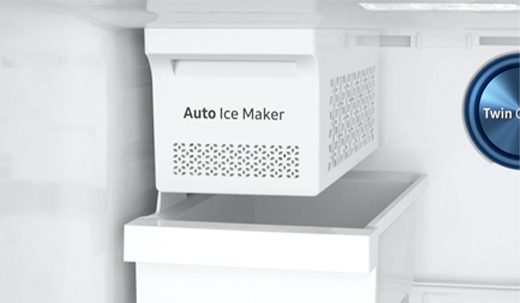
Discard a few batches of ice
New installations or periods of inactivity can cause dust, air, or stale water to settle in the lines.
Discard the first 2 or 3 full buckets of ice from both bins
Repeat this process if the ice quality continues to improve
Did this solve your issue?
Select “No” for more help.
Still seeing contaminated ice?
We're sorry your refrigerator issue isn't resolved yet.
Explore more options below.
Shift ice forward in the bucket
Your ice maker may produce less ice if ice is piling up behind the ice maker.
Shift ice toward the front of the bucket
Dispense ice regularly to keep the bucket from reaching its 2-pound capacity
Did this solve your issue?
Select “No” for more help.
Check water dispensing and pressure
Low water pressure prevents the ice maker from filling properly or producing ice.
Dispense water into a measuring cup
Check if it fills 6 oz (¾ cup) in under 10 seconds
If no water comes out -> Check water line connection
If it fills too slowly -> Proceed to the next step
No dispenser to test > Proceed to the next step
Did this solve your issue?
Select “No” for more help.
Still making too much ice?
We're sorry your refrigerator issue isn't resolved yet.
Explore more options below.
Still seeing contaminated ice?
We're sorry your refrigerator issue isn't resolved yet.
Explore more options below.
Check the water filter
A clogged or old water filter can restrict the flow of water required for the ice maker to function.
Remove the water filter
Repeat the 10-second water test
If water flow improves without the filter -> Replace the filter
Check if the main water supply valve is fully open
If there is no improvement -> Proceed to the next step
Did this solve your issue?
Select “No” for more help.
Check door alignment and leveling
If there is a gap between the ice bucket and the ice chute, warm air will enter the ice maker compartment and cause frost.
Check front-to-back level
Adjust side-to-side level
Align door heights
Did this solve your issue?
Select “No” for more help.
Glad we could assist!
Enjoy your Samsung Refrigerator experience.
Do you need help with anything else?
Check water dispensing and pressure
Low water pressure prevents the ice maker from filling properly or producing ice.
Dispense water into a measuring cup
Check if it fills 6 oz (¾ cup) in under 10 seconds
If no water comes out -> Check water line connection
If it fills too slowly -> Proceed to the next step
No dispenser to test > Proceed to the next step
Did this solve your issue?
Select “No” for more help.
Check the IR (optical) sensor
The ice maker may fail to detect the correct ice level if the optical sensor is obstructed by frost, debris, or the ice scoop.
Wipe the sensor lens
Place the ice scoop away from the sensor's path
Select “No” for more help.
Clear the frost away
Frost can build up if moisture enters the freezer. Depending on the thickness, you must clear it to allow the sensors and seals to work correctly.
Light frost: Wipe away with a damp cloth and dry the area immediately with a second cloth
Medium frost: Gently remove the buildup with a plastic scraper, then wipe and dry the surface
Heavy frost: If the buildup is too thick to remove by hand, you will need to perform a
Did this solve your issue?
Select “No” for more help.
Where is the control panel located?
Still getting contaminated ice?
We're sorry your refrigerator issue isn't resolved yet.
Explore more options below.
Check if Child Lock or Dispenser Lock is enabled
The Child Lock or Dispenser Lock feature electronically disables the panel and dispenser, which is typically indicated by a lit or flashing padlock icon.
Turn off the lock feature to restore power to the dispenser and buttons.
* If Child Lock or Dispenser Lock is already turned off, proceed to the next step.
Did this solve your issue?
Select “No” for more help.
Check water dispensing and pressure
Low water pressure prevents the ice maker from filling properly or producing ice.
Dispense water into a measuring cup
Check if it fills 6 oz (¾ cup) in under 10 seconds
If no water comes out -> Check water line connection
If it fills too slowly -> Proceed to the next step
No dispenser to test > Proceed to the next step
Did this solve your issue?
Select “No” for more help.
Verify the ice maker is on
The Ice Maker On icon illuminates on the display panel to indicate that the ice making function has been activated.
Tap the Ice Maker button until Ice Maker On lights up
Wait 3 hours, then check for ice
* If the ice maker is already on, proceed to the next step.
Did this solve your issue?
Select “No” for more help.
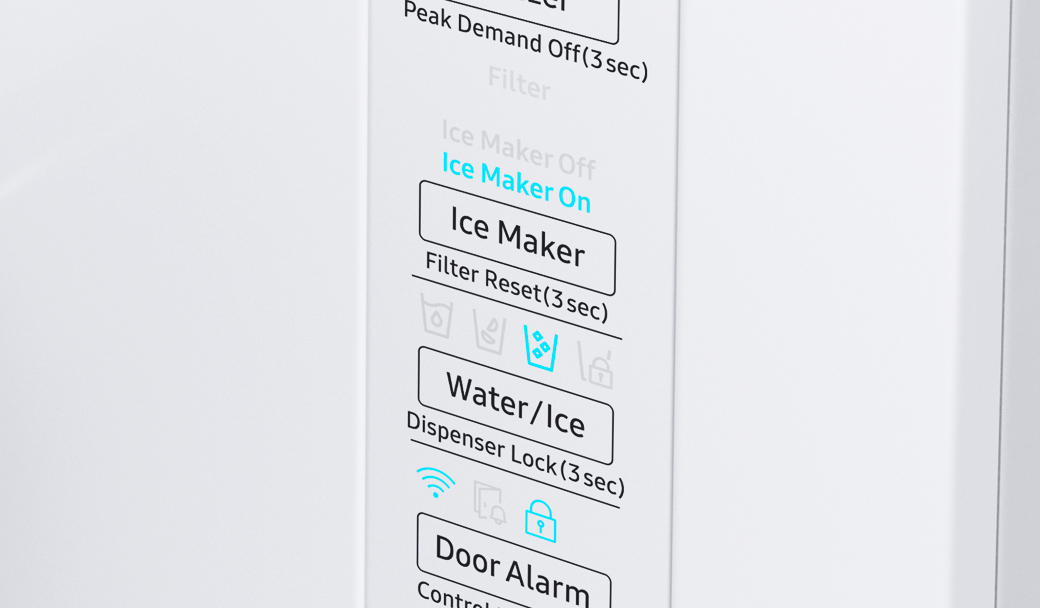
Clear feeler arm obstructions
The ice maker may continue production if the feeler arm is physically propped up or stuck in the "up" position.
Remove any ice bits frozen onto the arm
Place the ice scoop in its holster away from the arm
No feeler arm > Proceed to the next step
Did this solve your issue?
Select “No” for more help.
Reconnect the wiring harness
A loose or improperly connected wiring harness at the top of the door can cause the dispenser to malfunction and release water instead of ice.
Remove the hinge cover
Unplug and firmly reseat the harness
Reattach the door hinge cover
If no wiring harness > Proceed to the next step
Did this solve your issue?
Select “No” for more help.
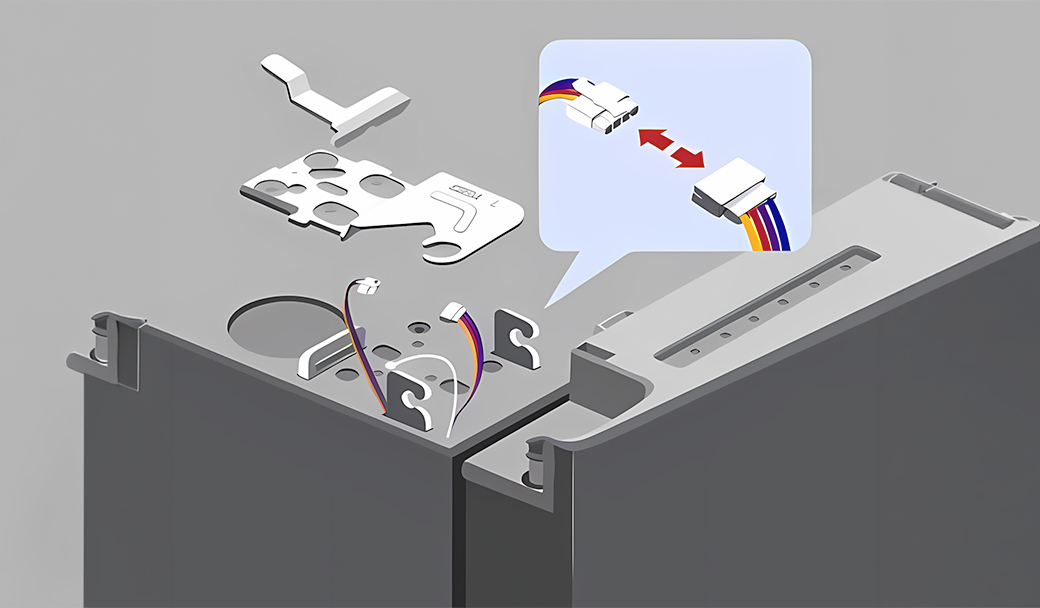
Check the freezer temperature
The freezer needs to be at 0°F or less in order to produce ice.
Set freezer to 0°F
Wait 3 hours
Check if ice is produced
* If the freezer is already set to 0°F or lower, proceed to the next step.
Did this solve your issue?
Select “No” for more help.
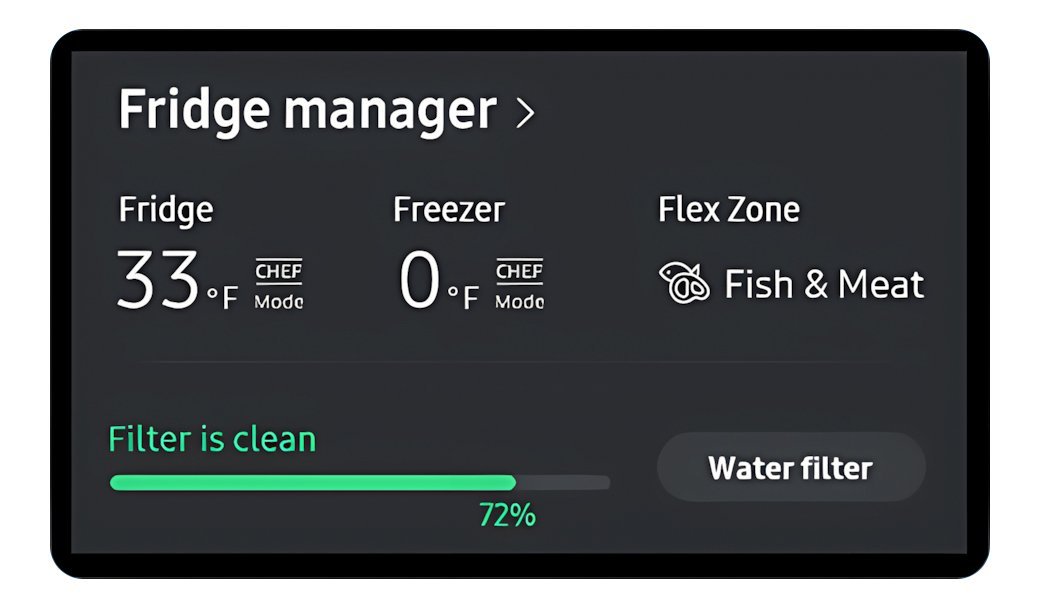
Check the freezer temperature
The freezer needs to be at 0°F or less in order to produce ice.
Set freezer to 0°F
Wait 3 hours
Check if ice is produced
* If the freezer is already set to 0°F or lower, proceed to the next step.
Did this solve your issue?
Select “No” for more help.
Still not making enough ice?
We're sorry your refrigerator issue isn't resolved yet.
Explore more options below.
Check the water filter
A clogged or old water filter can restrict the flow of water required for the ice maker to function.
Remove the water filter
Repeat the 10-second water test
If water flow improves without the filter -> Replace the filter
Check if the main water supply valve is fully open
If there is no improvement -> Proceed to the next step
Did this solve your issue?
Select “No” for more help.
Check the ice bucket for ice to dispense
If the ice bucket is empty, the dispenser may release water instead of ice.
Check the ice bucket for ice to dispense
If the bucket is empty, turn on the ice maker
Wait 3 hours, then check for ice
Try dispensing ice again
* If there is already ice in the ice bucket and the dispenser still dispense water instead of ice, proceed to the next step.
Did this solve your issue?
Select “No” for more help.
Select Ice instead of Water
Some models allow you to choose between water and different ice types. If water is selected by mistake, the dispenser may release water instead of ice.
Check the dispenser display and make sure Ice is selected
Select a different ice type if available
Try dispensing ice again
* If Ice is already selected and the dispenser still does not dispense ice, proceed to the next step.
Did this solve your issue?
Select “No” for more help.
Reconnect the wiring harness
A loose or improperly connected wiring harness at the top of the door can cause the dispenser to malfunction and release water instead of ice.
Remove the hinge cover
Unplug and firmly reseat the harness
Reattach the door hinge cover
If no wiring harness > Proceed to the next step
Select “No” for more help.
Check the IR (optical) sensor
The ice maker may fail to detect the correct ice level if the optical sensor is obstructed by frost, debris, or the ice scoop.
Remove the ice maker and wipe the sensor lens
Place the ice scoop away from the sensor's path
Did this solve your issue?
Select “No” for more help.
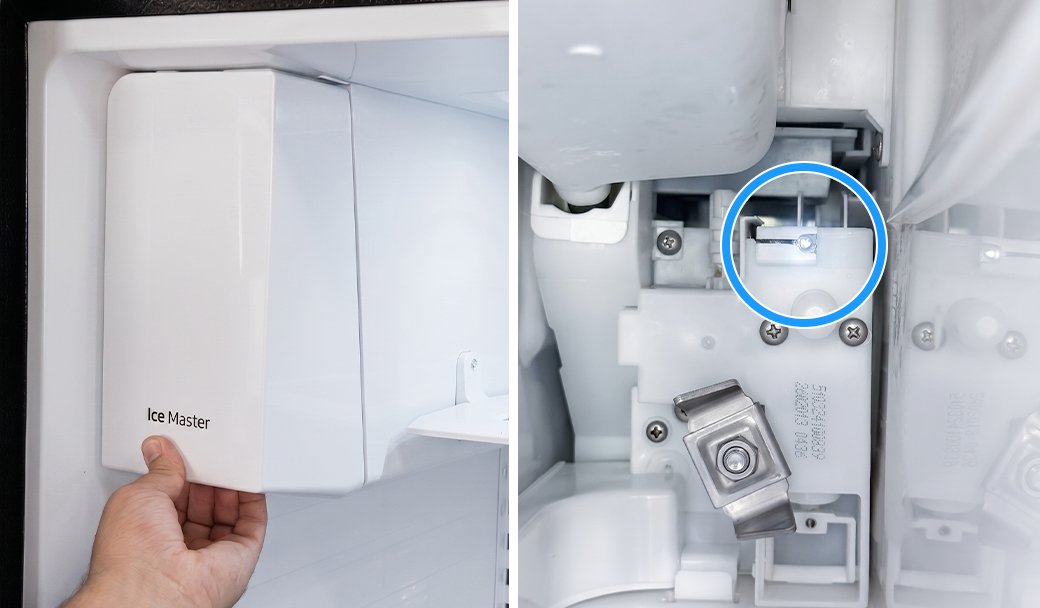
Check the IR (optical) sensor
The ice maker may fail to detect the correct ice level if the optical sensor is obstructed by frost, debris, or the ice scoop.
Wipe the sensor lens
Place the ice scoop away from the sensor's path
Did this solve your issue?
Select “No” for more help.
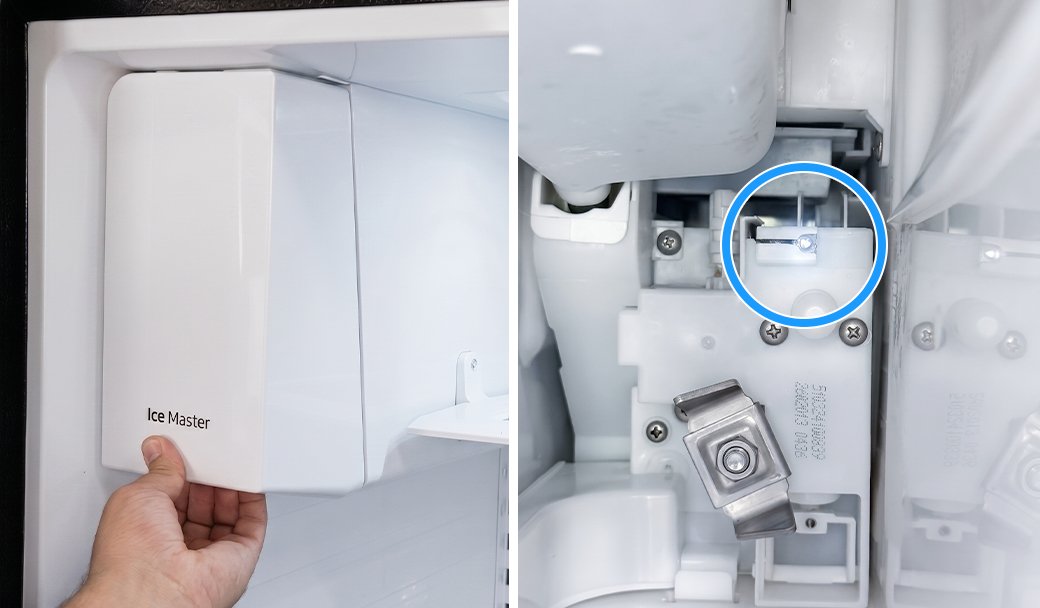
Clear the Ice Bucket Opening
Residual ice shards or frost can accumulate around the bucket's discharge port, creating a physical blockage that prevents ice from falling into the dispenser.
Empty the ice bucket completely
Run warm water through the opening to melt any buildup
Dry the bucket and opening thoroughly before reinstalling
Reinstall the ice bucket and try dispensing ice again
Did this solve your issue?
Select “No” for more help.
Verify the ice maker is on
The Ice On/Off icon illuminates on the display panel to indicate that the ice making function has been activated.
Tap the Ice On/Off button for 3 seconds
Wait 3 hours, then check for ice
* If the ice maker is already on, proceed to the next step.
Did this solve your issue?
Select “No” for more help.
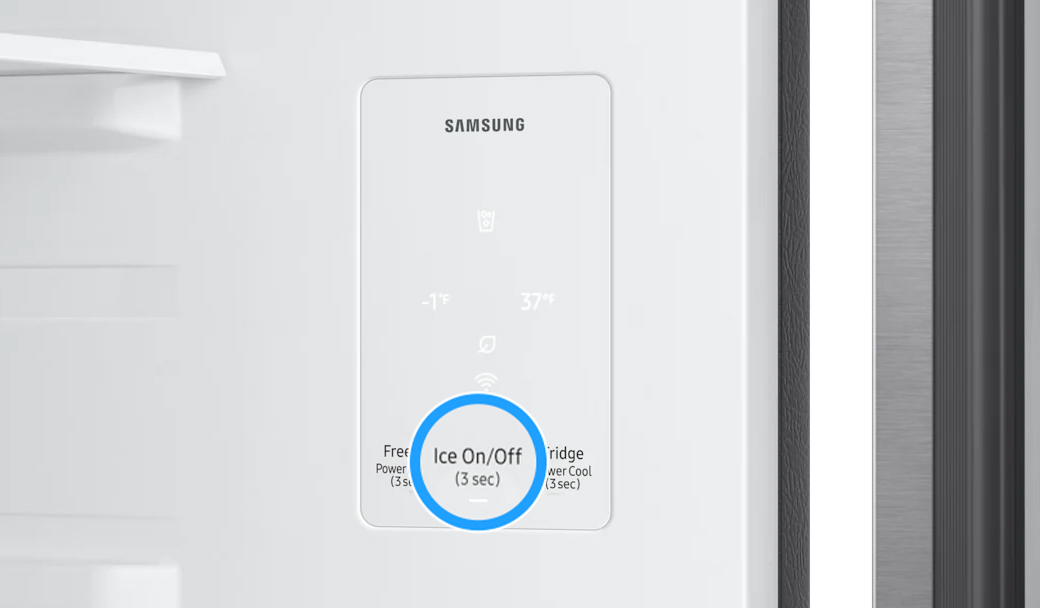
Still not making enough ice?
We're sorry your refrigerator issue isn't resolved yet.
Explore more options below.
Select Ice instead of Water
Some models allow you to choose between water and different ice types. If water is selected by mistake, the dispenser may release water instead of ice.
Check the dispenser display and make sure Ice is selected
Select a different ice type if available
Try dispensing ice again
Did this solve your issue?
Select “No” for more help.
Still dispensing water instead of ice?
We're sorry your refrigerator issue isn't resolved yet.
Explore more options below.
Clear the ice chute
Residual ice shards trapped in the chute melt over time and can leak out as a stream of water when you dispense ice.
Clear the chute manually of any trapped ice
Dispense several cubes to sweep out remaining slush or debris
Did this solve your issue?
Select “No” for more help.
Check the freezer temperature
The freezer needs to be at 0°F or less in order to produce ice.
Set freezer to 0°F
Wait 3 hours
Check if ice is produced
* If the freezer is already set to 0°F or lower, proceed to the next step.
Did this solve your issue?
Select “No” for more help.
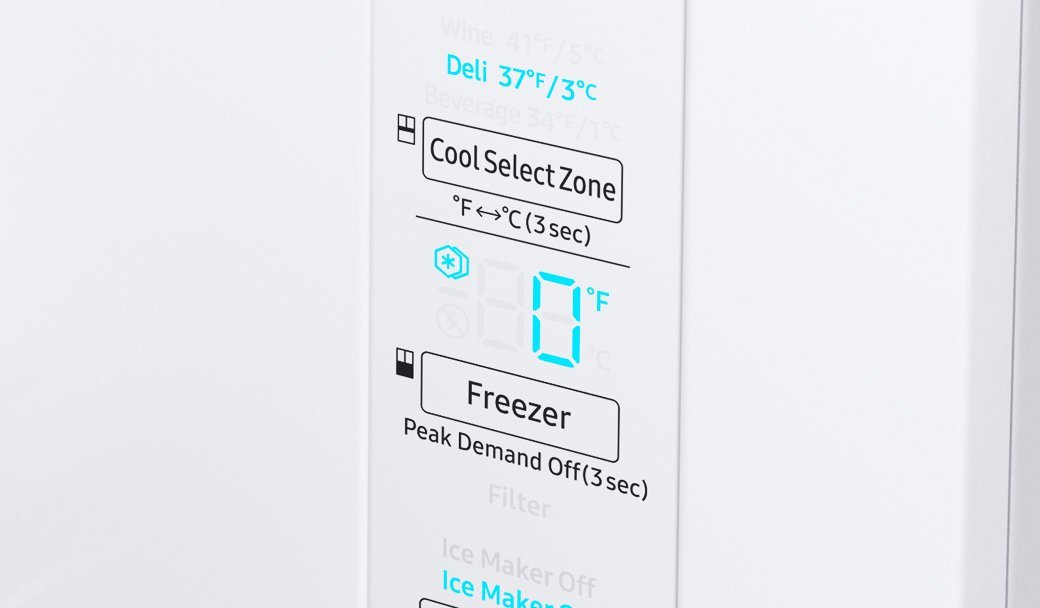
Clean the water supply line
Debris or mineral deposits in the home’s water supply line can travel into the refrigerator, which often occurs after recent plumbing work in the home or neighborhood.
Flush the water line into a bucket
Wash the ice buckets to remove any transferred residue
Did this solve your issue?
Select “No” for more help.
Glad we could assist!
Enjoy your Samsung Refrigerator experience.
Do you need help with anything else?
Clear the frost away
Frost can build up if moisture enters the freezer. Depending on the thickness, you must clear it to allow the sensors and seals to work correctly.
Light frost: Wipe away with a damp cloth and dry the area immediately with a second cloth
Medium frost: Gently remove the buildup with a plastic scraper, then wipe and dry the surface
Heavy frost: If the buildup is too thick to remove by hand, you will need to perform a
Did this solve your issue?
Select “No” for more help.
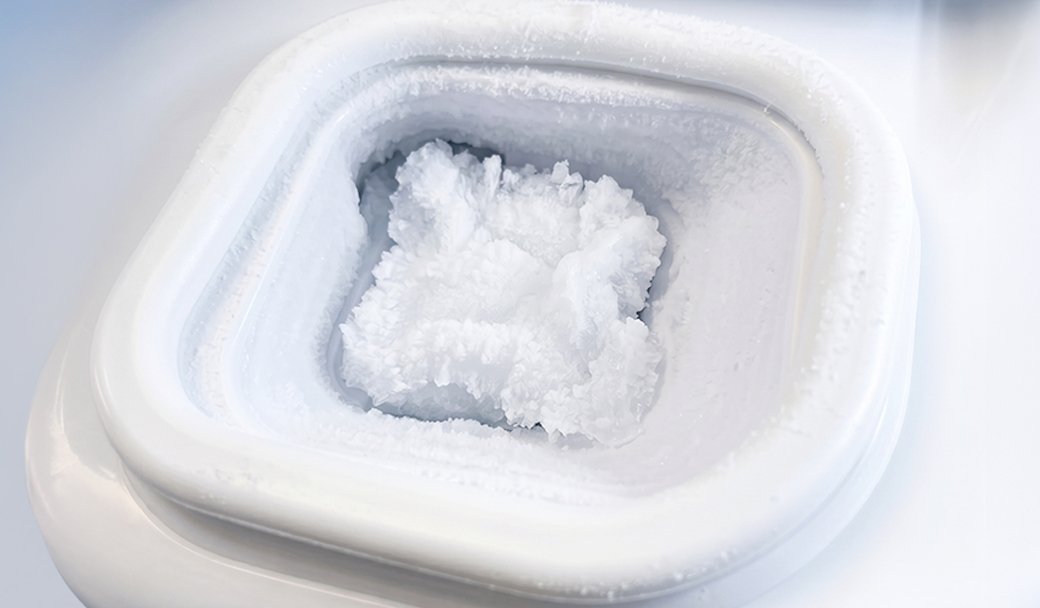
Verify the ice maker is on
The ice maker can be turned on or off in Fridge Settings. If it is turned off, the refrigerator will not produce ice.
Open Fridge Settings on the Family Hub display.
Turn on the available ice maker options (such as Cubed or Ice Bites).
Wait about 3 hours, then check for ice.
* If the ice maker is already on, proceed to the next step.
Did this solve your issue?
Select “No” for more help.
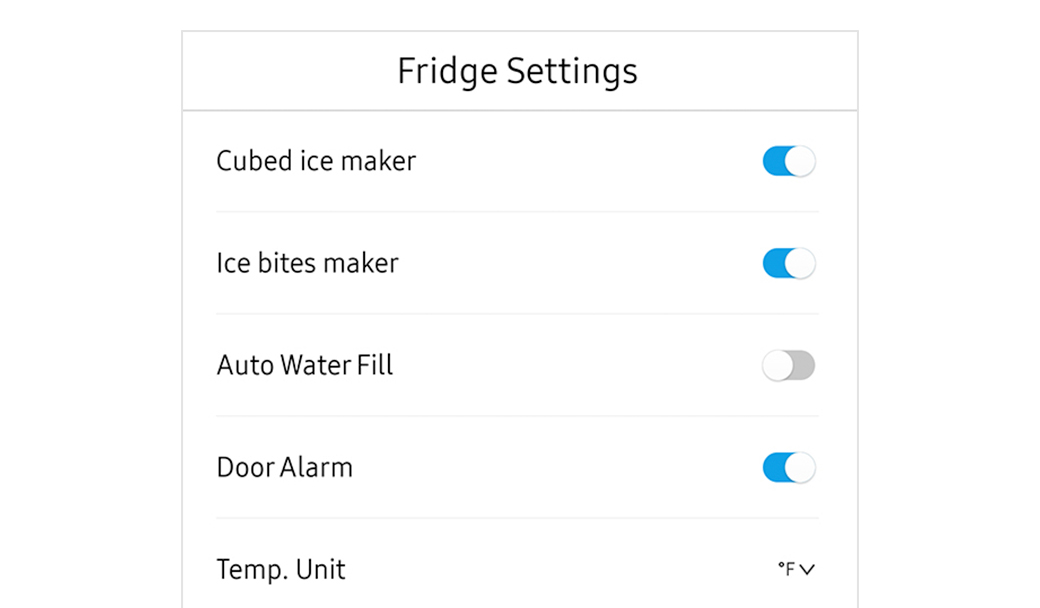
What is your symptom?
Inspect the door and ice bucket seals
Gaps in the rubber seals allow warm, moist air into the freezer and turn into frost.
Clean the rubber door gaskets with warm soapy water
Remove any debris from the ice bucket seal
Replace the ice bucket if the integrated seal is damaged
* If the seals are already clean and undamaged, proceed to the next step.
Did this solve your issue?
Select “No” for more help.
Did this solve your issue?
Check the freezer temperature
The freezer needs to be at 0°F or less in order to produce ice.
Set freezer to 0°F
Wait 3 hours
Check if ice is produced
Did this solve your issue?
Select “No” for more help.